Wednesday, October 10, 2012

Photos Special - Jurong Bird Park

IMG 3420

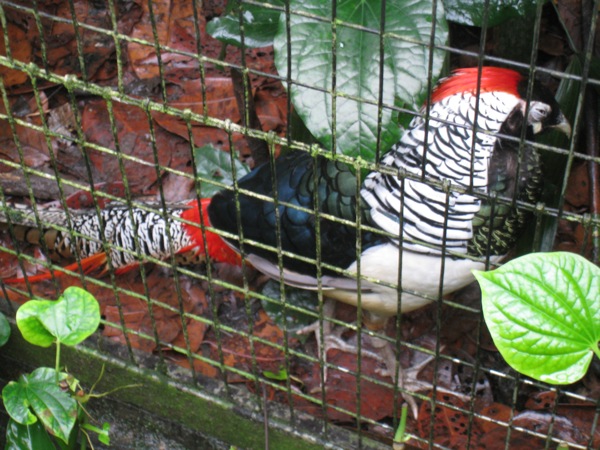
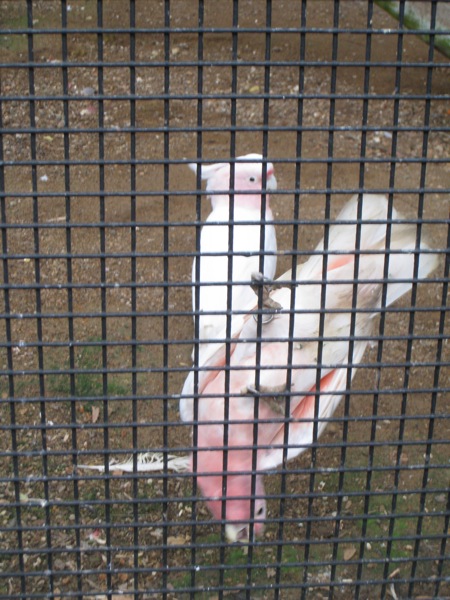
Went Jurong Bird Park with my sis + her friend like… 2 weeks back or so...

IMG 3425IMG 3426IMG 3430IMG 3432IMG 3434IMG 3436IMG 3437IMG 3439IMG 3467

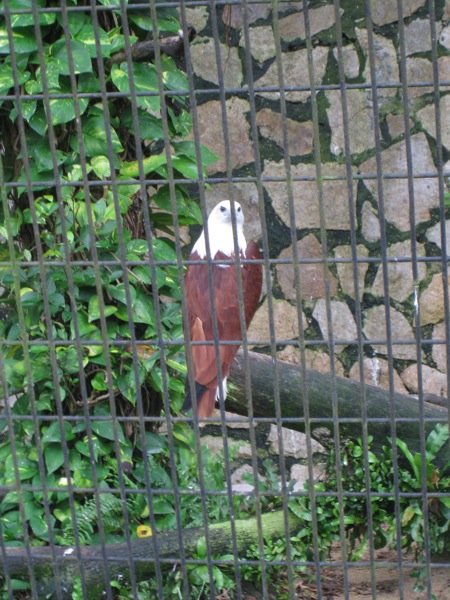
Quite hard to take pictures of the birds with our small cannon cam… not good enough :(

IMG 3472IMG 3475IMG 3477IMG 3482IMG 3486IMG 3488IMG 3491IMG 3493IMG 3495IMG 3497IMG 3503IMG 3505IMG 3512IMG 3516IMG 3522IMG 3526IMG 3529IMG 3534

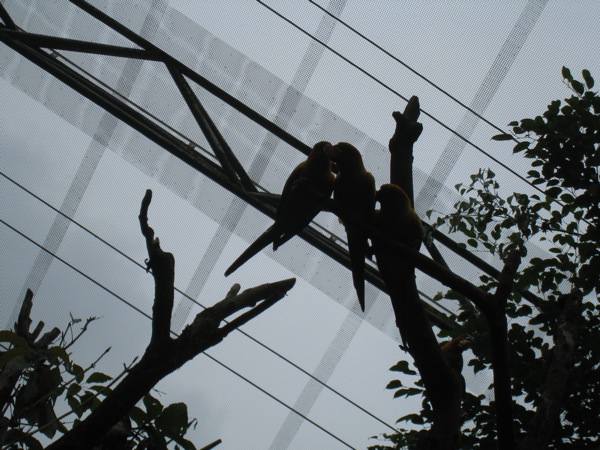
looks like love birds eh? in actual fact they were fighting for food heh

IMG 3533IMG 3536IMG 3537IMG 3540IMG 3542IMG 3543IMG 3544IMG 3545IMG 3546IMG 3547IMG 3551IMG 3552IMG 3554IMG 3558IMG 3559IMG 3563IMG 3564IMG 3568IMG 3571IMG 3574IMG 3576IMG 3578IMG 3579IMG 3580IMG 3590

we had lunch at bongo burgers outside the bird park, same day re-entry to the bird park is allowed. prices were still ok, like in the 15 bucks range… which is quite normal for the stuff served… i was quite surprised actually… was expecting some exorbitant prices considering that the vending machines sells drinks at 3bucks each… like 2-3x the prices sold elsewhere.

IMG 3591

i ordered lamb burger… not that good though, the lamb was kinda…. overcooked IMO. too hard and dry.

IMG 3594

and the world's tallest manmade water fall… like whee!

IMG 3595IMG 3596IMG 3601IMG 3603

i think its damn cute when the birds use their beaks + claws to erm… move along the cage.

IMG 3609IMG 3610

i think the greatest challenge in photo taking is the relatively low light conditions. low light = slower shutter speed = HIGH chance of blur photos.

IMG 3611IMG 3613IMG 3614IMG 3616IMG 3619IMG 3620IMG 3622IMG 3623IMG 3625IMG 3626

Friday, September 21, 2012

iPhone 5 Map Application Failing Epically - G4tv.com

iPhone 5 Map Application Failing Epically - G4tv.com

LOL! this is really hilarious! maybe this is why google hasn’t rushed to make a map app for the apple store yet? LOL

but yes... apple's maps have A HELL LOT of improvements to be done

iMessages and Apple Maps


Apple finally unified the iMessages experience in iOS 6, by allowing you to receive iMessages sent to your phone number even on your computer or iPad. 

However… I'm still less then satisfied with iMessages on the mac… so much so that i won't use it at all… well almost… i might use it if i feel like spamming my friends with iMessages or something as a prank (since most of them don't have macs and will need to spend a considerably longer time typing on the puny iPhone screens). But yeah… i still don't like the new messages app for mac. And iPad.

Why?

I don't on my messages app on the mac all the time… but when i do, i want to see ALL my iMessage on the app. I don't want to see an empty screen with no idea where the last conversation went to. And i can't seem to find a way to force messages to download all my iMessage conversations… Even if you give me an option to load messages between a particular person (say the last 10 or last XX) it'll be great. Now i just open up an empty window with no idea who i last messaged and what we last talked about :X

The weird thing is that i can't seem to receive messages sent to my phone number on the mac even though its supposed to be unified o.o. No idea what I'm doing wrong or anything but…. the thing DID work on the iPad. I can also know iMessage to someone's phone number from the iPad… previously could only iMessage their email.

Another problem is that you can't seem to send out iMessages with your phone number from the iPad and mac… and this sucks cos that means you'll end up having two conversation threads on the other party's phone…. wonder if they'll change this? o.o 

Or am i doing anything wrong here? No more updates available in the app store… tried signing in and out of my mac messages as well… wonder what's wrong? maybe i'll try again tmr.

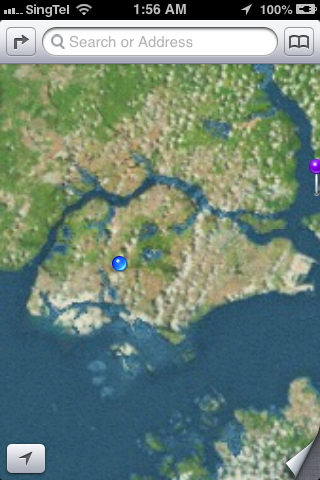
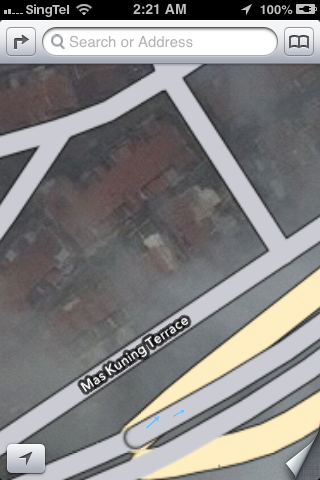
And ah the apple maps… the non satellite version seems good enough… but the satellite maps… were anything but pretty. Far short of the polish expected of apple… somehow i don't recall google satellite images to look so bad… check out these images… loads of joins between the satellite snap shots… and i wasn’t alone in feeling disappointed with apple's maps...

I sure hope the data quality will improve with time...

IMG 2597

the very obvious joining of different satellite images… i know you can't take an image of the entire earth at once… but surely there's a better way to join the images…? or like… use images taken at more similar times…? Like… not have a part of the land so bright and the other so dark like this?

IMG 2598

Or like this… :X

IMG 2599

This is even worst… the picture quality on one side is so much worst. And nope, i waited a long time… it aint like this cos it isn't done loading. Also notice that the wifi loading circle thing at the top bar isn't there? Its done loading and this is how it is :X

IMG 2600

on the other side… again, totally different colour and quality.

IMG 2601

If you zoom out enough, the image looks ok though, no complains here.

IMG 2602

Slightly more zoomed in images of SG looks ok… most of the time. Scrolling around i still see some joined parts though...

IMG 2603

Now that's a lot of joints on this small screen...

IMG 2606

The normal view looks ok though...

IMG 2607

IMG 2608

Except for the fact that i really want to see the buildings and HDB blocks in the map… and preferably with the blk numbers too. YES! Block numbers! AND BUILDINGS. Am I asking too much? I don't think so… i don't want to carry a huge street directory around… i want to just rely my smartphone...

IMG 2609

And lastly the hybrid view...

IMG 2610

At least you know that all those land around the road have buildings in them with this view… there's also the traffic that you can hide n show… but it aint seem to do anything at all… not sure if its cos the feature aint available for sg? or like the old google maps u have to wait an exceedingly long time? (i did wait long enough IMO)… or is there something that I'm missing? o.o Idk...

Well lastly… music on the iPhone got a makeover as well… new colour scheme of white, black, and ORANGE! No more blue highlights for the replay and shuffle buttons… its now ORANGE lol.

IMG 2604

The track selection list is now WHITE

IMG 2605

but now playing is black with orange play/shuffle buttons (when selected). The volume and what's that called… chaser? the timing selection thing… now features a pretty looking metal button.


Hmm… that's all the new stuff i discovered for now :P

New Microsoft Keyboard Splits Space Bar, Left Side Used as Backspace Key | Techland | TIME.com

New Microsoft Keyboard Splits Space Bar, Left Side Used as Backspace Key | Techland | TIME.com

haha... for me... well... its quite true... i pretty much always use my right thumb to hit the space bar too. and yeah... the delete/backspace button is a little far away... though for me i always use my 4th finger to hit it. in fact, my right pinkie is completely useless... it just pops right up n i don't use it to hit a single key. My left pinkie tho, is in charge of A, the shift button, capslock etc... basically all the buttons it should be hitting. Except when say I'm trying to hit type A. Or Z. Or Q. Then my left pinkie goes out to hit the shift key while my 4th finger hits the alphabet. While my right pinkie just dances around in midair doing absolutely nothing. Heck even the 4th finger of my right hand is pretty slack... most of the thing all it does it to hit the delete button. Even when typing letters like P i just my middle finger :X

bad typing habits/skills indeed :X

Thursday, September 20, 2012

iOS 6 and OS X 10.8.2!

Ok, so my computer is done with OS X updates, my 3GS is now running iOS 6… all I'm left with is to wait for iPhoto and Xcode to update finish in the mac app store. 

I've barely had time to discover all the new things in the new OSes yet so… i'll just post as i go.

I'll start off with the iOS.

1st up… when i checked out my phone after the OS update, the most glaring and obvious thing was the extra page page 2 the new iOS added for me… What happened? Cos there's a new icon for passbook - which pushed the newsstand app to the 2nd page. 1 thing i hate about the newsstand app is that i can't throw it in some random filer. I don't subscribe to anything so basically my newsstand is empty… but i can't stow it away in a folder either… i ended up having to drag the singtel getamped app to my music folder to make way in my 'random' folder for the passbook icon… i throw stuff like stocks, voice memos, weather, compass etc in there. Passbook looks like a great app, BUT its only great in concept atm. If stores in Singapore starts using it a lot, then it'll be truly great. Otherwise… it'll just end up being another of those 'preloaded apple apps that i don't use but can't delete'. I know starbucks have already pledged support for it, but i don't drink starbucks very often… i'll need more then just starbucks to convince me of its usefulness. Hopefully more merchants in SG will adopt it.

Another thing that's become quite obvious is the colour change in the top bar of the iPhone screen - where they have the battery icon, the time and the carrier icon. In some apps, the bar is changed to a blue hue… and it seems like the colour scheme of many things have been changed. App store is now more blackish, the settings is more blueish… in messages the top bar is now blue, making the whole app feel more… blueish. Feels like the whole colour scheme has changed when in actual fact it should be only that little bar that has changed. EDIT: ok the whole colour scheme of things have changed. It used to be blue but with a yellowish tinge. The old header bar was also white. Now both are blue...

Not sure when, but iTunes store finally works in sg. The last time i tried i only got a miserable message saying that the iTunes store isn't available for your country… iTunes store seems to have changed colour too. i still can't connect to the music store… not sure why, but the movies load up alright.

App store has changed too. The menu bar at the bottom has gotten rearranged, with updates in the middle instead of on the right side and a new genius icon added in (EDIT: not sure why but later on the genius icon was in the middle, and the updates back in its usual position).

IMG 2587

The search page has been refined to give more details about the app right away, including a screenshot of each app… you have to swipe left and right to view each app.

IMG 2588

It looks better now, but in a way it means you have to spend more time swiping through to look at all the search results. As other's have mentioned with the developers iOS 6 preview, you now don't need to key in the password for updating software (and dl-ing free software) and when updating apps you don't get auto kicked out to the home screen after hitting the update button… i was dumbly waiting for a response (i.e. getting kicked to the home screen) OR a message popping out to say i don't have enough space on my phone to update all the apps just now… only to realise a while later that all my apps where happily getting updated already… *facepalm* yeah i read about this change before… but after several days of hunting for apps to delete due to lack of space to update other apps… i was expecting the 'NOT ENOUGH SPACE' message to come yelling at me :X

I dug through the settings on my phone and noticed quite a few new things. For one there's the 'Do Not Disturb' setting, and a new 'Privacy' menu. In 'Privacy', you can see all the apps that have requested permission to access you twitter, Facebook and sina webo accounts, as well as your photos, reminders, calendars, contacts, bluetooth sharing, and location services….

IMG 2589

Notice the blue top bar VS the black previously and in the app store (SS abv)

IMG 2590

In general settings… you can force your phone to sync with your computer as long as you're on the same wifi network… honestly i can't rem if this feature was here already, i think it might be an old feature,  just didn’t take much notice before… 

One thing that i tried out 1st on the iPad was the new maps application. In truth the maps look lot like the old google maps - the location of the buttons and all… just that the new one has prettier looking icons and text. Turn by turn navigation is available in sg! Tried it on the iPad. Not available on iPhone 3gs tho. sighs. Not yet tried the flyover thing on the iPad either… but once again, its not on the 3gs. New clock app on the iPad too, looks good, but its not something I'd be using much even if i were the iPad owner.

In photos, you now have a photo stream menu item, and you can now create new albums in photo stream to share with others. You can even make the album open to public - meaning that the whole world can see your photos from the iCloud website.

IMG 2591

IMG 2592

Ah yes… the twitter and Facebook integration… now its much easier to post a tweet or a FB status update - you just have to pull down your notifications bar and 'tap to tweet' or 'tap to post'…

IMG 2585

with the FB integration, your contacts and calendar gets integrated with FB… bad thing for me who friended like a million ppl on FB though - now my calendar is just flooded with FB bday notifications… good thing you can turn them off though - something which i just did. They let you select whether to turn off just the FB days or the FB events, so that's quite a good thing. Contact integration with FB once again pulls out all the contact of all your FB friends n throws them in your contact list. Like with the contacts from emails and multiple places, you can select which to view and which not to… and i've promptly turned off my FB's list of contacts :X

IMG 2594

IMG 2593

There's a whole load of other updates… like iCloud tabs in safari… VIP lists in email (which is useless for me ATM)… easier to attach photos and videos to mail - this one is a great improvement, though I'd like to see the ability to attach files (like word docs and stuff) in apps from the mail itself, rather than having to go to the app, selecting the file and then selecting share to email. Even now, we have to go to the photos app then select share… well I'd admit the share menu has gotten much much prettier now, but I'd still like to attach stuff to mails :X Now you can even directly select a photo to use as wallpaper from the photos app. No need to dig around in the settings anymore! EDIT: opps, this feature was already there previously… i just… never bothered to read all that bunch of text options… all i can say is that i previous the bright looking icons now to the old bunch of text options. Its faster to look at icons then to read lines of text IMO.

IMG 2595


IMG 2596

All that sina weibo integration is tempting me to open a weibo account… a bunch of my friends have been asking me to but so far i've not…. well i don't even update my blog regularly… and you still want me to keep a chinese blog? meh… i think i just might :X EDIT: wow i just tried… i actually did sign up for a weibo acct already… WOW since when lol! ok so now i can sign in to weibo on my phone n comp...

What else is there…. safari offline reading lists… not available in iPhone 3gs. Panorama photos - not on 3gs either, means i'll still have to use 3rd party apps to do it (i hardly take panorama photos anyway)… what else is there? ah… you can now send text message replies instead of picking up phone calls… good, but I'd hardly use it, at least for now anyway. Oh of course siri got better, but i don't have siri. Pinyin keyboard is supposed to be better now, but i've not tried it out yet :P (ok, i tried it out a little… the ability to mix english words in is great, but i wish for things the other way round… the ability to mix chinese words in while typing english… :X)

The thing about many of apple's updates/upgrades is that… things are just there, and they just work. They aren't very attention grabbing… its like after i updated my phone, i don't even realise anything that's changed for a while. And that's not a bad thing. I'd be really pissed if like my apps are all over the place and the whole phone has been turned upside down (or rather, inside out). Hmm… which feature do i like the most…? I think right now it'll be the easy FB status updates and tweeting. I think my dad will like the turn by turn navigation though… but its not on my phone RAWR!

 For the OS X, the changes are much more subtle. The way the whole OS looks and feel pretty much remains the same. Like the iOS, the new notifications bar feature a click to tweet and click to post to FB. 

NewImage

To sign in to FB you go to the mail, contacts and calendars and add a FB account… same for weibo, youku and tudou… you sign in from there...

iMessages now finally lets you receive messages sent to your phone number as well… shall try it out later...


bleah. I'm on a mission to clear up some hard disk space right now… i guess i'll post later when i have more discoveries :P


Ok… i tried out in more detail the new apple apps… and i must say the picture quality for the satellite view is not very good… parts of the map are just weird bits and pieces joined together, with clear lines of the joining… can see the iPad planning out the routes and all but not sure exactly how well the turn by turn navigation works since there's no stimulation mode...

Updating...

Ok, so my iOS has finished updating. Took a while tho, the iPad finished before my iPhone did... Seems like the iPhone was taking longer to connect to the apple server or something. Anyway now updating my comp. it's taking quite a while... The OS X download itself took quite long, and worst still, the request kept timing out. Both on my lappy n my dad's. My lappy is finally done with the download n is installing it now. Looking forward to the fb integration n iMessages improvements... Shall see...


- Posted using BlogPress from my iPhone

Updating…..
Its iOS 6 and OS X 10.8.2 day!

after like… almost an hour? of downloading… finally installing iOS 6 on my phone now.

NewImage

well maybe it didn’t actually take that long, but i wasn’t sure when the dl finished. PLUS more importantly i was using up all my bandwidth by updating a bunch of software form the mac app store as well… including the mammoth of a download - Xcode. Ok… now my phone is installing iOS 6 XD

Tried to dl OS X at the same time but i guess it was taking too long and the request timed out :X ouch.


Yup… looking forward to see the Facebook integration both on my comp and on the iPhone. ahhhhh my dad's lappy's DL is done… time to update his iPad :P

Despite the move enable wireless updates… i still prefer to have my  phone plugged in and synced + backed up before updating… So far all the updates have been smooth but… *shrugs* just a precaution...


Loads of stuff that my old phone won't get to enjoy tho… no siri like duh… no turn by turn navigation in maps either… no flyover view…….. ah wells…


guess i'll stop here for now, bye bye!

Thursday, September 06, 2012

Off to Bintan!

At tanah merah ferry terminal now... Ferry to Bintan leaving at 10:55!


- Posted using BlogPress from my iPhone

Location:Tanah Merah Ferry Rd,,Singapore

Wednesday, September 05, 2012

Friday, August 31, 2012

Hm...

Meh... its weird... that recently i'm actually posting more on my LJ then here lol. Normally it'll be otherwise but well...

Going to the IT show with jlf tmr! She's gonna buy a Nex 5 while i'll be helping my dad check out the price of fujifilm x10. He's been looking at it since like a million years ago... almost wanted to buy during the last IT show but didnt cos of the ORB sensor issue.

Ah yes... dear jlf says that she's got a present for me already, and will pass me on sun... really excited to see what it is... o.o

Clues: she's not gonna bring it tmr cos it's kinda bulky. Bulky o.o ?!?!
She wonders if i have it already... hopes that she doesnt remember wrongly... o.o

huh? totally clueless...! hardly ever been so looking forward to receiving a gift...! thanks dar!

Friday, August 17, 2012

things.....

to do tmr:

1. upload photos to facebook
2. download 搜狗拼音输入器for mac. i nvr knew they have a mac version too! <3
i wonder if i can find a good 3rd party japautnese language input software for mac too - cos there's always problem with the original input software from mac somehow for me... it takes like a million years to switch between languages, and sometimes even hangs up my comp! read before that you have to like repair permissions or something - did that, was ok for a while,  but then it came back again zzzzzzzz. meh. the sougou thing is sooooo cute... dont they have a japanese add on for it too? T.T its really convenient too... and there's like a million skins they made for you to pick... really love it......

3. lvl up my soul seed as much as possible on trickster
4. download and install bloons td 5 deluxe on mac, and install it on xp as well.
yeah! i paid for deluxe, but i think it'll be worth the money... been enjoying every single bloons td release so far... td 5 has been a delight to play everyday (or almost everyday), loads of new content... new towers, new agents, new maps, daily challenges... now even those tower boosting upgrades/buildings thing that you can buy with monkey money... really makes the game so very enjoyable. cant wait to play it! just that bleah i've got trickster events and stuff to do too... and i still haven found a job. :X

5. what else is there? :X

also been playing back swords and potions recently. its a nice buying/selling rpg game... friendly ppl there too :)

went to botanic gardens with jlf today... shall try and upload some pics tmr. heck, i've not yet uploads the gardens by the bay pics from...... idk how long ago :X opps :X

k, that's all for now.

Wednesday, August 08, 2012

Curiosity's Descent

watching...

watched quite a bit of olympic action yesterday...

table tennis women's team - sg won korea... not very exciting tho, but was interesting to see the expedite rule come into play - learnt a bit more abt table tennis rules today.

women's vball quarter finals between china and japan was stunning. super exciting... made me wonder for a while if it was the finals already... they were like neck and neck in the scoring.

gymnastics beam was exciting, and in floor aliya mustafina got a surprising bronze to get her 4th olympic medal. zonderland also put up a fantastic high bar performance. stunning skills, tho not that perfect execution... but the difficulty is just incredible.

Monday, August 06, 2012

FYP, Convocation...

Its been so long since i posted here about school stuff...

Been slacking all along...

FYP ended successfully... despite me rushing non-stop for like two days at the end... things were really last minute... the friday before submission (mon 4pm DEADline), we were still carrying out experiments till really really late at night. With the data to be included in the written report...

At least the experiment worked out...

Things was really really drama at the end i tell you....

The last experiment we did was a pcr... after that we ran our products on a gel and took pics of the result...

Unfortunately... in my rush... i did notice that the files had a weird .1sc format... but i thought i could easily get some external program to open it...

HOWEVER... that was not the case... after trying all sorts of photo editing program... i FINALLY came upon bio-formats that is said to be able to open it... after downloading the program however... i was totally confused as it didnt seem to be doing anything at all. further searching and i finally understood that its actually a plugin for the software ImageJ....

Things was quite frustrating at the end… i was clearly behind in my report writing, and got really frustrated when my buddy kept asking me for help on the simplest of all things. Made me really really frustrated as i felt i was constantly spoon-feeding her. And its not like we're a team or anything, sure we are friends, working on similar things for our FYP, but everything is graded individually… I'm not obliged to help her and the thing is that it doesn’t feel like a fair exchange of ideas. i felt like i was the only one bringing things to the table while she was just feeding off me. It really made me doubt if she even had the ability to do anything on her own at all, though she put me wrong as she too, managed to find the bio-format and imagej software. So what was she doing all along then? Must she ask me to send her EVERY SINGLE THING? Every website, every small program i use… yeah it was really frustrating.

But its all over now. Report was really last minute tho, wrote for almost 3 days and only finished on the morning that it was due… started printing out the report at like 11+am when i had to submit it by 4pm… its like… I'd just kill myself if anything went wrong with the printer or something :X

Either way… its all over now.

Ah and poster presentation. Was crap. As in… i didn’t get a single examiner. Stood there for 2 days and no examiner. meh. it really made me sad… i was so ready to present my poster which i put a lot a lot of effort into… made the pictures look really nice and such… i wasn’t the only one who didn’t get an examiner tho...

My mentor wanted to keep my poster… so all i've left are memories and pictures. oh and the soft copy, of course. sighs… i still can't help but think about my pretty molecule alignment picture… well all credits to pymol of course… but then again many others, my friend included, didn’t know how to get a high res picture out of pymol so….

And yes… convocation is over too. Nothing much really, just going on stage to get the folder, getting the transcript with my horrible results at the back of the hall… haiz.

Pics some other day maybe… :X yes i am a procrastinator. 3 months to post about my fyp? lol!

Curiosity Landed Safely on Mars!

Yes, this is late news i know, but i think its of enough importance that i should post here.

I actually by some miracle (actually, it was twitter who alerted me to the landing time) followed the rover landing through the NASA live webcast and saw the tiny pictures that got mailed back through odyssey.

There's actually truckloads of information regarding the MSL (Mars Science Laboratory) on the NASA webpage.

This is the one of the 1st pic taken by the rover. (All pictures are credit of NASA/JPL-Caltech)

NewImage

Here's another, can see the shadow of the rover here

NewImage

There's a ton of video and other stuff to read on the NASA webpage, do take a look. A whole bunch of videos available on youtube too...

At the JPL (Jet Propulsion Laboratory) during the rover landing


How the rover landed on Mars an explanation - the Seven Minutes of Terror

Wednesday, August 01, 2012

Grats Feng Tianwei!

Grats Feng Tianwei for winning the match against Kasumi Ishikawa of Japan!


Granted, the fact that she isn't a home made and breed Singaporean does irk me a little, but the FACT is that she has improved a lot and played a great game yesterday against China's no. 1 seed, and she finished off her individual battle with a win to get bronze. 

You can choose to view this from many angles, but I simply wish to see it as a deserving athlete getting a hard earned medal.

Well done! Feng Tianwei FTW!

Now let's hope they can defend their sliver team medal… or even one up that!

Monday, July 30, 2012

Mountain Lion

Finally went to dl mountain lion last night. 4.37gb large. I just left my comp on overnight to dl. Finished at 6:23am today... Took like maybe 3 and a half hours... Really long! Installing it on my lappy n my dad's lappy now. 34 mins remaining for mine and 30mins more on my dad's.


- Posted using BlogPress from my iPhone

Sunday, July 29, 2012

Explore the world...

Stumbled upon an article on techland about live webcams of animals. Explore.org lets you view videos of animals all around the world live from your browser...!


There's like... a gazillion more videos on the site so do check it out!

TODAYonline | World | Man who pretended to be blind died in ditch

TODAYonline | World | Man who pretended to be blind died in ditch

this is... ouch

London Olympics!

Ah so sleepy... but i had a great time watching the olympics today... well bits here and there, but i watched most of the men's gymnastic sub div 2 qualifications!

Japan came off to quite a shaky start... meh... excited abt the team finals XD

Saturday, May 05, 2012

Almost there...

So I'm finally done with my poster design... barring any mistakes or changes that my mentor wants... and pending changes from my dad and my sis (like i asked them to give comments on the color scheme and stuff, the science and the actual content they don't understand ><)
well my sis is way better than art then i am (actually, my dad too), so i asked her to give some comments on my poster yesterday... i was telling her that i tried to make my poster as less wordy as possible... but she was like 'huh? u call this not wordy?' gah! It can't be helped that the intro, methods, objectives, and conclusions all HAVE to be in words right? tch! Already i've put like huge pictures and graphs to make things as pleasing as possible - while still retaining its 'scientific-ness'...

I decided to do things differently this time round... following in part my experience at SSEF when i was in junior college. I cut out whole portions of the report from the poster, and didn’t present a lot of the obtained data. I don't want my poster to be a case of too cramped, too much info, and too confusing... i felt that last time i didn’t win at the SSEF cos apart from that fact that I'm not THAT good a presenter (I'm not the very lively, talkative kind), there was also too much info in the poster/report. If I'd cut out the last part of the results entirely and focused on something else instead, the results could have been very different. Regrets regrets sighz... you live and you learn... what else can we do?

So yeah, i cut out the entire lab work part (which wasn’t much to begin with anyway) and only focused on the bioinformatics. I also didn’t attempt to squeeze results for everything for both genes in... either or, not both of them. No tables of long lists of numbers either - i changed it into a graph instead. BLAH that stupid graph took me SOOOO LONG to get done! The new office layout was really confusing for me - cos the last time i work extensively with excel was... like... 5 years ago or something... using the older version of excel. (plus i wasn’t on mac yet). Than direct copying and pasting the graph to powerpoint didn’t work. I was really really pissed with MSoffice then... like WTF on earth are you doing! The graph copies over alright, but it changes the freaking style and everything that I'd painstakenly arranged in excel! and i can't change the style back in powerpoint! Then after googling i found out that i could use the paste special thing or some sort, but it only worked in another ppt doc, not the one with my poster... in the end i took the nice looking copy pasted in the other ppt, saved it as a picture, than imported the picture to my poster. zzzzzzz! so troublesome! The resolution should turn out alright... i hope ><

ah my mentor wanted pictures of bleached corals too... i took like over 5 hours to search for copyright free etcetc images that i can safely use on my poster... finally found several on flickr (i don't use flickr so it too me a while to remember which site it was that had the creative commons license thing, at 1st i went to gettyimages but like nothing is free?) and picked two out of the lot. Next problem was that i didn’t know what species of corals they were... searched around for a bit but only managed to identify one of the two... gave up in the end ><

and than there was the stupid guide tree. oh gosh how many DAYS have i spend on the phylogenetic trees in total? i really lost count! From that time when writing the report to now the poster...! At the beginning i skimmed around for something that can open/plot dnd files... didn’t find anything that worked, so i skimped on the work by screencapping from the clustalw2 website. Than my mentor suggested that we put in bootstrap values... (that was like, a few days before the report was due). So i started google to find out what ARE bootstrap values... (very last minute, i know). Turns out that i had to use clustalx to generate those so... thankfully i downloaded that a while back. So it took me a while to tinker around with that program... and hohoho! It generates the raw files, but you have to use something else to open the raw files. BRAVO! After a lot of fail attempts (some required you to compile the program yourself, but somehow when i try to compile the files it just WONT WORK!, others were like powerpc programs or something which apple withdrew support for in Lion...) i finally got njplot to work. BUT that stupid program could only generate trees that were A4 sized. So things ended up being really cramped...! I ended up having to draw a sub tree for one of my genes zzzzzzz. And that's the big problem too... for my poster i needed the tree to be more like in a landscape kind of orientation (otherwise no space!) which the program can't get me. I ended up resizing the window and screencapping AGAIN. But that's bad because you end up with the tree on a white background. I want the background to be transparent.... -.-''' So i took a million years with photoshop and stuff, in the end i had to trace out the tree in photoshop and type out all the species names separately in powerpoint.... sighz.

So yeah... hopefully everything is alright with the poster now!

Wednesday, May 02, 2012

Poster

Blah... it just started raining HEAVILY. like real heavily. i guess i'll go home late again today.

So next tuesdays n wedn is poster day... discussed with my mentor just now abt the poster and i have quite a bit of work to do. been spending the entire afternoon looking for a nice, copyright free (or watever u call it) pic of bleached corals to use in my poster. Found two nice pics to use in flickr... which I'm free to use as long as i credit the photogs.. hopefully i understood that creative commons thing right that is ><

blah........ that's how I'm feeling right now ><


Really the last last bit left of school to go… report was handed up already last week (after a long struggle) so all that's left is this poster thing.