Well, the biggest feature in the iOS 9.3 release is the introduction of the night shift mode. And for someone nocturnal like me, the night shift mode is a godsend.
I don't know if the thing about blue light is really affecting my sleep... But I do know that it was making my eyes hurt because the screen was too bright. Even the dimmest setting is too bright and painful to read on when the room is completely dark. I've even tried tweaking in the accessibility settings to have a mask over to make the screen dimmer, but it was quite a troublesome process and I didn't do it much. So in the end, my eyes hurt each time I tried to read/play on the phone before bedtime. And unlike many people who can't sleep if they use their phones before bed, it's often the other way round for me. I get sleepy playing stuff on the phone... (And I've fallen asleep and dropped the phone without first charging it, and woke up to a nearly daed phone - games were still running - several times).
So what I've found about the night shift mode is that cutting off the blue light makes the screen dimmer, less glaring, and perfect for using at night. Nonetheless.... Thanks to my varied sleeping habits... The current way of implementing night shift mode is less than desirable for me. I first set it to start at 10 pm. Then I realised 10 pm was way too early in most cases. Because I'd set the red shift to the most extreme option, the screen looks pretty... Red, and therefore I'd like it off if I'm not in bed yet. I'm most probably using the laptop, with my room lights all on anyway. And if I'm doing work, I actually don't want to fall asleep. Oh worst still if the reason I'm reaching for my phone is so that I can snap a few pictures. I *need* the night shift mode off so that I can properly judge if the lighting and color are right.
Rather than a timer... A quick on off switch say in the control center would work much better.
Or... I could ask siri to do it for me.
I just tried. It worked great. Only that I'm still shy when it comes to talking to siri.
Thus far the most that I've asked her to do was to 'wake me up at 8 am'. Or whatever time of my choosing.
More than 3 months in with a 'Hey siri' phone and that's about all I ask for siri...
Still, it's an improvement from the previous phones without an active hey siri feature. I don't use siri at all.
But well, I've always been the shy type eh?
Not much else for iOS 9.3... Notes can now be password protected. I might activate that... Though it's not that necessary since my phone itself is already password protected. And my phone tends to stay in my hands. Still, since I can use TouchID, there's no harm activating it though...
(Well, unless I'm in the lab. Then TouchID won't recognise my gloves. And it won't work properly when my fingertips are moist from sweating my gloves either. Unless I stay in the office... I end up having to type my password most of the time at work.)
The Apple Health app supposedly got an upgrade, but I've never used that app much so I don't see the difference... I've always used other apps like Argus and UP to keep track of my step count anyway... So I only go to the Health app once in a blue moon if I want to look at how many flight of stairs I've climbed.
The rest of the updates - CarPlay, and News and Education - doesn't affect me. Our new car doesn't support CarPlay. News is still only available in the US, and Education? I'm not in school anymore. And I doubt educators in Singapore will have it implemented any soon.
So that's about it for iOS 9.3.
What else was announced in that Keynote?
iPhone SE and the smaller iPad Pro. The iPhone SE is great news for several of my friends with small hands and loving the iPhone 5s form factor. Sure, TouchID is still the 1st gen version, and there's no Force Touch. But the first gen TouchID work pretty darn well already... And ForceTouch? I tried to use to often initially, but now I can't even remember the last time I've used it anymore...
For those who aren't gadget loving geeks like myself, and prefers a smaller phone, I think the iPhone SE is a great choice.
iPad Pro. Once again, it's the Apple Pencil that I'm interested in. And it's really irritating because none of the stores in SG lets buyers test out the Apple Pencil! Sure the iPad Pros are on display... But I have an iPhone and I've seen an iPad. But I've not seen the Apple Pencil. Nor the keyboard.
The iPad Pro sounds like a fantastic tool to get... But adding on the cost of the Pencil, and maybe even the keyboard... And you have a really, really expensive iPad. Sure it's still a great deal for creatives. But for a pseudo creative like myself? Nah dah. I'm pretty hopeless when holding writing instruments. Though I definitely see better results with a physical pen and paper as compared to a walcom pen and tablet. Which is why I'm interested in the iPad Pro and Apple Pencil in the first place.
But still. The iOS is not enough for my complete geeky needs. Sure it'll be quite a step up in terms of productivity with the keyboard - I can do all my light blogging on it - but not if I'm writing something that requires some research. Like. 'Some' research by having about 20 tabs open, and trying to search up the Japanese dictionary and English thesaurus. I know that you can have apps open side by side with split screen but... Well, it's probably ok if you're only using two apps at once. But more than that? I think there'll be trouble.
Say, if I'm trying to do a show review... Taking tons of video screenshots, while trying to translate, and blog at the same time... On my mac that'll be VLC (video player), MarsEdit (blogging tool, also uploads all my screenshots), Chrome (for all my Japanese dictionary needs). Oh and messenger on facebook too... for discussing with my friends if I need English phrasing help (also on Chrome, but it'll be a seperate app on the iOS). I think a computer is still better suited for that purpose... (And I'm not even doing anything really high tech or groundbreaking here?) Taking screenshots on the iOS would be a pain too because I'll have to crop each and every screenshot in a separate app. On the Mac I just press Cmd+Control+Shift+4, crop out the video area I'm interested in, then paste it on MarsEdit. I don't even pick a location to save the picture and upload it... Because that would take too much time. My reviews are always extremely photo extensive, easily having over a 100 photos per review... So you get the idea.
Well... Computers. I need to get my own computing device soon. I'm still borrowing dad's lappy now but he'll need it back soon. Why oh why are the macbook pro with retina display's base stats still so low? Even the iPad Pro has options of more storage than the basic macbook pro!!! 128 GB of storage space is NOT enough! Even 256 GB is too little... Gah. And of course the more you add on... The more expensive it gets. Hmph. *huffs*
I'll have to upgrade the ram too, because 8 GB ram? Hello... Do you have any idea how much ram web browsers eat up these days? I don't even do much. Just playing a video, Chrome/Firefox, MSWord at the same time... And my ram is all shot. Even 16 GB of ram (the max upgrade) seems... Kinda little.
Or maybe I should stick to my original plan and get a desktop after all. Sis will happily take it if I'm going overseas... Will be sometime before that happens (if at all) anyway.... Gah.
Alrights. That's all for now!
Showing posts with label iPhone. Show all posts
Showing posts with label iPhone. Show all posts
Sunday, April 03, 2016


Saturday, September 12, 2015
Of news and disappointment
I guess... the only thing that could eclipse the disappointment of having to wait another 2 more months for my iMac is the disappointment with the election results.
You have to wait another mighty 5 years for that. 5 whole years.
I'd say the whole election this year was quite a disappointment. From the campaigns all the way to the results.
Nothing much left to say. The winner takes it all.
On the Apple side... it's back to waiting for the 4k iMac to be announced. If I'd checked the rumor mill earlier I'd have known that it'll be announced only in Oct, and available for sale in Nov. But I hadn't checked.
The rumor mills are exceedingly accurate these days.
Apple just can't keep stuff under wraps anymore (as much as they'd like to) because they have to outsource their manufacturing.
Either way... it doesn't matter to me. I get my products all the same.
iPhone 6s is out. Really I'd get it right away (and it better freaking last 3 years this time) if not for my parents.
Still if I were to prioritise... I guess I'd put the iMac before a new phone though.
We'll see. Sigh.
Sunday, August 23, 2015
I can't wait...
I’ve been cursing for the past week… at my laptop.
Can’t wait for next month… can’t wait for the Apple keynote. And the 21 inch iMac refresh.
This laptop is really at the end of active service. It hangs up too much. It can’t handle all the stuff I need to do on my main computing device anymore. Things like handling multiple downloads… or uploads. Playing videos while having word document open, while searching the web… my video tends to hang up and won’t pause when I want and need it to.
Still… I say it with a ping of regret because other instances it works fine… until it hangs up and the words I typed comes out in a jumble again. Pfft.
Not something that leaves me in the mood for video watching/subbing/translating.
And then there’s the iPhone too. Will need a new one too. I’ll be mighty broke next month but it can’t be helped. I just hope the stuff lasts. Esp the phone. It has to last me three years this time! Sigh.
Alright… that’s all for now!
Saturday, May 30, 2015
Apple, macs, iPhones and Android
So, I've been keeping a lookout in the shops for the new macbooks with force touch track pad for a while now... Well whenever I drop by the malls at least. Finally got to see it maybe two weeks ago after an unintended visit to the mall. Rainy days meant long queues for the shuttle bus... And since I hate waiting, I decided to take the risk in trying to catch the public bus today. The gamble failed terribly though, when I missed two buses on the way to the bus stop. Oh wells. Thought I'd try the bookshop and get some glue while I'm at the mall, but insanely long queues made me change my mind instantly.
Thankfully for me though, spotting the gold macbook in nubox made the wasted time worthwhile.
Some quick thoughts after an extremely short hands-on session.
The first thing that I checked out was the force tough function. But first, I had to find something to force click on. Since they had cleverly use parental controls to block all but the apple Web page, I decided to try Notes instead. It'll give me a good opportunity to try out the new keys with the butterfly mechanism too. On the force touch, it took me a while to get what a 'force click' actually is. It didn't work at first, till I realised that you really do have to press pretty darn hard for it to be considered a force touch. It's like clicking down a second notch. It's a further level of resistance, like the second notch on a pipette. When the technology was first unveiled in the Apple watch, I was worried about accidental force clicks... But after trying it out, I'm happy to report that you can't possibly make accidental force clicks. You have to press really darn hard, way harder than normal, for it to register as a force click.
Well perhaps more so than the force click, the new keyboard with the butterfly keys would catch you attention first. It felt weird typing on the new keyboard. It’s a dull thud when hitting the keys, because the travel of the keys is way, way lesser than the old one. It doesn’t take that long getting used to typing on the new keyboard - I could touch type without any errors in a few moments… but the sensation of hitting the keys felt weird. It’s not as bad as the soft keyboard with microsoft’s surface tablet though, because unlike that keyboard, these butterfly keys actually do have some travel. Just way less travel then the old one. I guess it’s something that takes a bit of getting used to. It’s the tradeoff between having a ‘good typing experience’ and having such a ridiculously thin macbook. It’s as thin and light as advertised. holding the machine feels a little unreal even. Soon you’ll be able to spot youtube videos of people using the new gold macbook to cut cabbages and the like.
The full sized left and right arrow keys does feel a little unfamiliar. I suspect it’ll take a while getting used to the location and feel of the arrow keys as you fumble around for the left key while accidentally pressing on the option key in the meantime.
Unfortunately, it was pretty bright in the shop and I didn’t think of checking out the new individually lighted keys of the keyboard. Some reviews have stated that the keys weren’t as properly lit up as Apple claimed during the keynote. The lighting was uneven and there was light leakage.
Personally, I’m really excited by the new technology in the macbook, though in it’s current form the macbook isn’t for me. It’s great if you’re a light computer user, mainly using it for web surfing and maybe some simple word processing. It is a full fledged computer in it’s own right, but fundamental things like lack of storage space, and the availability of only a single port would prevent it from becoming my main computer. It’s also the same lack of storage space in the macbook pros that’s pushing me towards getting an iMac instead of a new laptop this fall. Well, I’m hoping that history repeats itself and that Apple announces the 21.5 inch retina version of the iMac at least. Definitely looking forward to getting a new computer. Something went wrong with Total Finder last night, and I took over 40 minutes restarting my lappy twice, before it would run smoothly… -.-‘’’
Summer means it’s buzzing with news from Techland. With the google I/O conference two days ago, and the Apple WWDC coming up on the 8th June, there’s plenty of Andriod and Apple news floating around. My only regret is that I’ll be in Australia for holiday on the 8th. No more watching of WWDC live for me :( It’ll be what… 3am? in Australia during the conference. No way I’d be able to stay up till so late while on holiday! (And that’s if the internet in the hotel is even fast enough for me to stream the video live!) Guess I can only read the news the day after… if I even have time.
But yes! Exciting news from Google. Android pay, Google’s answer to Apple pay is finally here. New photo application for backing up your photos and videos called Google Photos, with UNLIMITED storage. Google Now is further enhanced, and a new OS for IOT. The Google Photos app is available on both android and iOS, and I’m definitely going to check it out. (yes, it’s free).
Loads of Apple rumours about iOS 9 floating around too. Dual screen for the iPads? Force touch for iPhones? Better Apple maps? San Francisco font on the iOS? I’d say the new font is highly likely. Apple made the new font for the Apple Watch. It’s only natural that they will move it to their rest of the Apple devices. Similarly for the Force Touch. MacBooks have gotten it, it’s only natural that it will fine it’s way into iPhones. It’s only a question of when. Would it be this year, or the next? I certainly hope it’ll be this year, since I’m getting a new phone this year… no thanks to my dead iPhone 5s.
I’ve been playing around with my xiaomi quite a lot… and in conclusion, I still prefer a smaller phone. The xiaomi is a torture when I have to use it one handed… like when I’m talking to my pals through Facebook message (well, when I say talking, I mean messaging) with my left hand, while my right hand is busy feeding myself a piece of chicken or whatever I was having for lunch that day. Or when the trains get ridiculously crowded. I’ve actually dropped the phone before (and not just once) because I was trying to reach for some far away button. Xiaomi has a one handed option, but calling up that option is really troublesome - the command often fails to execute. And even then, typing on the suddenly reduced screen size is difficult - I make more errors than usual… and it really defeats the purpose of buying a phone with a large screen.
So… June is practically here already. Just another 4 more months to bear. I really can’t freaking wait to get my hands on a new computer and phone. Especially the computer. My little one has been really brave and tough to last me for all these 5 years, withstanding all my abuse. I bet it’ll still last for years to come, but it can no longer handle that level of performance I demand from my devices. Already about two or three years ago I’ve stopped using 4 browsers at once because the system could no longer take it. And now, sometimes I quit every single program that’s unused - even things like iTunes, because the computer/ram just can’t quite handle things as well anymore. Guess it’s especially bad now that I’m doing video subbing. I tried to open ageisubs so that I could do the timing myself, but the little icon just jumped around for 10 minutes before I finally gave up waiting and force quit the app. I guess the mac would perform better once I strip down all the apps to leave just a few bare essentials… but doing so would mean I can’t use it as my primary computer anymore. In other words, I need another computer.
How many more days till the Apple fall keynote?
I need to countdown!
Thankfully for me though, spotting the gold macbook in nubox made the wasted time worthwhile.
Some quick thoughts after an extremely short hands-on session.
The first thing that I checked out was the force tough function. But first, I had to find something to force click on. Since they had cleverly use parental controls to block all but the apple Web page, I decided to try Notes instead. It'll give me a good opportunity to try out the new keys with the butterfly mechanism too. On the force touch, it took me a while to get what a 'force click' actually is. It didn't work at first, till I realised that you really do have to press pretty darn hard for it to be considered a force touch. It's like clicking down a second notch. It's a further level of resistance, like the second notch on a pipette. When the technology was first unveiled in the Apple watch, I was worried about accidental force clicks... But after trying it out, I'm happy to report that you can't possibly make accidental force clicks. You have to press really darn hard, way harder than normal, for it to register as a force click.
Well perhaps more so than the force click, the new keyboard with the butterfly keys would catch you attention first. It felt weird typing on the new keyboard. It’s a dull thud when hitting the keys, because the travel of the keys is way, way lesser than the old one. It doesn’t take that long getting used to typing on the new keyboard - I could touch type without any errors in a few moments… but the sensation of hitting the keys felt weird. It’s not as bad as the soft keyboard with microsoft’s surface tablet though, because unlike that keyboard, these butterfly keys actually do have some travel. Just way less travel then the old one. I guess it’s something that takes a bit of getting used to. It’s the tradeoff between having a ‘good typing experience’ and having such a ridiculously thin macbook. It’s as thin and light as advertised. holding the machine feels a little unreal even. Soon you’ll be able to spot youtube videos of people using the new gold macbook to cut cabbages and the like.
The full sized left and right arrow keys does feel a little unfamiliar. I suspect it’ll take a while getting used to the location and feel of the arrow keys as you fumble around for the left key while accidentally pressing on the option key in the meantime.
Unfortunately, it was pretty bright in the shop and I didn’t think of checking out the new individually lighted keys of the keyboard. Some reviews have stated that the keys weren’t as properly lit up as Apple claimed during the keynote. The lighting was uneven and there was light leakage.
Personally, I’m really excited by the new technology in the macbook, though in it’s current form the macbook isn’t for me. It’s great if you’re a light computer user, mainly using it for web surfing and maybe some simple word processing. It is a full fledged computer in it’s own right, but fundamental things like lack of storage space, and the availability of only a single port would prevent it from becoming my main computer. It’s also the same lack of storage space in the macbook pros that’s pushing me towards getting an iMac instead of a new laptop this fall. Well, I’m hoping that history repeats itself and that Apple announces the 21.5 inch retina version of the iMac at least. Definitely looking forward to getting a new computer. Something went wrong with Total Finder last night, and I took over 40 minutes restarting my lappy twice, before it would run smoothly… -.-‘’’
Summer means it’s buzzing with news from Techland. With the google I/O conference two days ago, and the Apple WWDC coming up on the 8th June, there’s plenty of Andriod and Apple news floating around. My only regret is that I’ll be in Australia for holiday on the 8th. No more watching of WWDC live for me :( It’ll be what… 3am? in Australia during the conference. No way I’d be able to stay up till so late while on holiday! (And that’s if the internet in the hotel is even fast enough for me to stream the video live!) Guess I can only read the news the day after… if I even have time.
But yes! Exciting news from Google. Android pay, Google’s answer to Apple pay is finally here. New photo application for backing up your photos and videos called Google Photos, with UNLIMITED storage. Google Now is further enhanced, and a new OS for IOT. The Google Photos app is available on both android and iOS, and I’m definitely going to check it out. (yes, it’s free).
Loads of Apple rumours about iOS 9 floating around too. Dual screen for the iPads? Force touch for iPhones? Better Apple maps? San Francisco font on the iOS? I’d say the new font is highly likely. Apple made the new font for the Apple Watch. It’s only natural that they will move it to their rest of the Apple devices. Similarly for the Force Touch. MacBooks have gotten it, it’s only natural that it will fine it’s way into iPhones. It’s only a question of when. Would it be this year, or the next? I certainly hope it’ll be this year, since I’m getting a new phone this year… no thanks to my dead iPhone 5s.
I’ve been playing around with my xiaomi quite a lot… and in conclusion, I still prefer a smaller phone. The xiaomi is a torture when I have to use it one handed… like when I’m talking to my pals through Facebook message (well, when I say talking, I mean messaging) with my left hand, while my right hand is busy feeding myself a piece of chicken or whatever I was having for lunch that day. Or when the trains get ridiculously crowded. I’ve actually dropped the phone before (and not just once) because I was trying to reach for some far away button. Xiaomi has a one handed option, but calling up that option is really troublesome - the command often fails to execute. And even then, typing on the suddenly reduced screen size is difficult - I make more errors than usual… and it really defeats the purpose of buying a phone with a large screen.
So… June is practically here already. Just another 4 more months to bear. I really can’t freaking wait to get my hands on a new computer and phone. Especially the computer. My little one has been really brave and tough to last me for all these 5 years, withstanding all my abuse. I bet it’ll still last for years to come, but it can no longer handle that level of performance I demand from my devices. Already about two or three years ago I’ve stopped using 4 browsers at once because the system could no longer take it. And now, sometimes I quit every single program that’s unused - even things like iTunes, because the computer/ram just can’t quite handle things as well anymore. Guess it’s especially bad now that I’m doing video subbing. I tried to open ageisubs so that I could do the timing myself, but the little icon just jumped around for 10 minutes before I finally gave up waiting and force quit the app. I guess the mac would perform better once I strip down all the apps to leave just a few bare essentials… but doing so would mean I can’t use it as my primary computer anymore. In other words, I need another computer.
How many more days till the Apple fall keynote?
I need to countdown!
Saturday, January 31, 2015
Phone update...
So iOS has a new update. I didn't want to update it at first, but then I realized my phone had lesser and lesser free space, despite the more and more apps that I was deleting, and I hadn't downloaded any new apps! So I went to check the update page, apparently the phone automatically downloaded the update on it's on. Ok fine. Since you downloaded, I'll just update then... It's just a small update, shouldn't take long right? So I couldn't be bothered more and just updated the phone, without bothering to sync with my computer. The last time I synced was like 5 days ago... and some of my apps had undergone quite some changes since then. And my iCloud storage is full thanks to all the photos I took in China, so it hasn't synced to iCloud in ages. But it should be fine... it's just a small update right? Right?
As they say... things you least except to go wrong often goes wrong. Bravo. After the tiny status bar below the apple logo filled up, the phone restarted... and yay. Out comes that dreaded icon asking you to connect your phone to iTunes. Great.....
A long while later after iTunes finally started up (closed it to save a tiny bit of ram), it asked if I wanted to do a factory reset, or an update. Even after I clicked the update, it still came up with a warning that if it can't update successfully, it'll have to do a factory reset. -.-'''
Great.
So iTunes downloaded the software all over again, and unpacked it, and slowly updated my phone. Thankfully the update worked. Phew. And my phone now has over 880 MB free, compared to just 350 MB earlier. Sheesh. Now I have so much free space! Still have to quickly finish uploading all those photos to all my social media sites though, then I can delete them... that'll free up over 2 GBs of space!
Wednesday, January 23, 2013
New… iDevice…!
I want a new phone...
My phone's screen protector spoilt. Like the thing itself spoilt this time… not the usual 'i scratched it badly' kind of spoilt.
First a bubble appeared and i was like ?!?!?! how come a bubble appeared from the middle of the protector out of nowhere? THen by the time i reached home, even more bubbles appeared. On impulse, i peeled off the screen protector only the find that the glue had, idk? melted? shrink? it was all curled up, creating air spaces in the void beside where there was no more glue - no wonder all the bubbles appeared! So i tore the whole thing off only to realised half of the glue had came out already. Now i've got a really shiny (and bare) iPhone screen… (always been using matt surface protectors). Haiz. Passed by a handphone shop the other day and i was still thinking that i should get a new screen protector… but didn’t see any for iPhone 3g one on sale. Should i even bother buying a screen protector? Or shd i just change a new phone? o.o My phone is in a really bad condition now. Home button doesn’t respond half the time, worst still, now even the on/off button isn't responsive. On Monday I was listening to songs as usual… and i must have checked the time on my phone or something then tried to turn off the screen. Obviously it didn’t register cos the next thing i knew my song was BLASTING and it totally shocked me. I though some sort of emergency siren came off, then i realise wait it’s still the same arashi song and hurriedly tried to lower down the volume, but my finger was still at the volume control part of the screen cos the volume shot back up again. Seriously gave me a huge scare!
And my phone battery life! Nowadays I'm reaching home with just like… 8% battery life to spare or something… in the past it barely goes below 20%. AND that’s with my playing games on the train. Nowadays i don't even dare to play games for fear of my phone battery going flat before the day ends. Maybe i'll have to turn off 3G… haiz.
And iPad… i was getting the paperwork for my job done and all, and my boss asks if i have an iPad… which i don't… and he's like… 'hmm, maybe wait till you earn money first then say' or something… cos now they do everything on the iPad… don't need laptop anymore… >< of cos i want an iPad…! And a new iPhone. Hardly a day passes by w/o my sis complaining about how slow it is… and yes its constantly too full. I need at least 32gb… heck even then i think it'll be too full. And really i only have 200++ apps in my phone now! I cut down a lot already k! Last time it was like 4xx, 5xx apps… i think my song bank increased quite some bit haiz. No good no good :(
Friday, September 21, 2012
iMessages and Apple Maps
Apple finally unified the iMessages experience in iOS 6, by allowing you to receive iMessages sent to your phone number even on your computer or iPad.
However… I'm still less then satisfied with iMessages on the mac… so much so that i won't use it at all… well almost… i might use it if i feel like spamming my friends with iMessages or something as a prank (since most of them don't have macs and will need to spend a considerably longer time typing on the puny iPhone screens). But yeah… i still don't like the new messages app for mac. And iPad.
Why?
I don't on my messages app on the mac all the time… but when i do, i want to see ALL my iMessage on the app. I don't want to see an empty screen with no idea where the last conversation went to. And i can't seem to find a way to force messages to download all my iMessage conversations… Even if you give me an option to load messages between a particular person (say the last 10 or last XX) it'll be great. Now i just open up an empty window with no idea who i last messaged and what we last talked about :X
The weird thing is that i can't seem to receive messages sent to my phone number on the mac even though its supposed to be unified o.o. No idea what I'm doing wrong or anything but…. the thing DID work on the iPad. I can also know iMessage to someone's phone number from the iPad… previously could only iMessage their email.
Another problem is that you can't seem to send out iMessages with your phone number from the iPad and mac… and this sucks cos that means you'll end up having two conversation threads on the other party's phone…. wonder if they'll change this? o.o
Or am i doing anything wrong here? No more updates available in the app store… tried signing in and out of my mac messages as well… wonder what's wrong? maybe i'll try again tmr.
And ah the apple maps… the non satellite version seems good enough… but the satellite maps… were anything but pretty. Far short of the polish expected of apple… somehow i don't recall google satellite images to look so bad… check out these images… loads of joins between the satellite snap shots… and i wasn’t alone in feeling disappointed with apple's maps...
I sure hope the data quality will improve with time...

the very obvious joining of different satellite images… i know you can't take an image of the entire earth at once… but surely there's a better way to join the images…? or like… use images taken at more similar times…? Like… not have a part of the land so bright and the other so dark like this?

Or like this… :X

This is even worst… the picture quality on one side is so much worst. And nope, i waited a long time… it aint like this cos it isn't done loading. Also notice that the wifi loading circle thing at the top bar isn't there? Its done loading and this is how it is :X

on the other side… again, totally different colour and quality.

If you zoom out enough, the image looks ok though, no complains here.

Slightly more zoomed in images of SG looks ok… most of the time. Scrolling around i still see some joined parts though...

Now that's a lot of joints on this small screen...

The normal view looks ok though...


Except for the fact that i really want to see the buildings and HDB blocks in the map… and preferably with the blk numbers too. YES! Block numbers! AND BUILDINGS. Am I asking too much? I don't think so… i don't want to carry a huge street directory around… i want to just rely my smartphone...

And lastly the hybrid view...
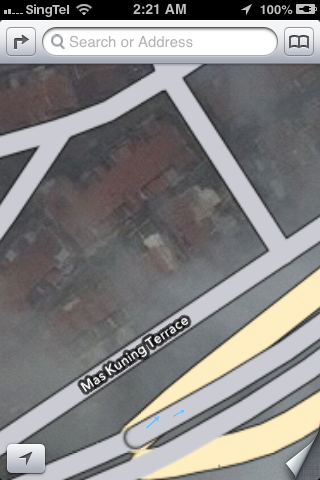
At least you know that all those land around the road have buildings in them with this view… there's also the traffic that you can hide n show… but it aint seem to do anything at all… not sure if its cos the feature aint available for sg? or like the old google maps u have to wait an exceedingly long time? (i did wait long enough IMO)… or is there something that I'm missing? o.o Idk...
Well lastly… music on the iPhone got a makeover as well… new colour scheme of white, black, and ORANGE! No more blue highlights for the replay and shuffle buttons… its now ORANGE lol.

The track selection list is now WHITE

but now playing is black with orange play/shuffle buttons (when selected). The volume and what's that called… chaser? the timing selection thing… now features a pretty looking metal button.
Hmm… that's all the new stuff i discovered for now :P
Thursday, September 20, 2012
iOS 6 and OS X 10.8.2!
Ok, so my computer is done with OS X updates, my 3GS is now running iOS 6… all I'm left with is to wait for iPhoto and Xcode to update finish in the mac app store.
I've barely had time to discover all the new things in the new OSes yet so… i'll just post as i go.
I'll start off with the iOS.
1st up… when i checked out my phone after the OS update, the most glaring and obvious thing was the extra page page 2 the new iOS added for me… What happened? Cos there's a new icon for passbook - which pushed the newsstand app to the 2nd page. 1 thing i hate about the newsstand app is that i can't throw it in some random filer. I don't subscribe to anything so basically my newsstand is empty… but i can't stow it away in a folder either… i ended up having to drag the singtel getamped app to my music folder to make way in my 'random' folder for the passbook icon… i throw stuff like stocks, voice memos, weather, compass etc in there. Passbook looks like a great app, BUT its only great in concept atm. If stores in Singapore starts using it a lot, then it'll be truly great. Otherwise… it'll just end up being another of those 'preloaded apple apps that i don't use but can't delete'. I know starbucks have already pledged support for it, but i don't drink starbucks very often… i'll need more then just starbucks to convince me of its usefulness. Hopefully more merchants in SG will adopt it.
Another thing that's become quite obvious is the colour change in the top bar of the iPhone screen - where they have the battery icon, the time and the carrier icon. In some apps, the bar is changed to a blue hue… and it seems like the colour scheme of many things have been changed. App store is now more blackish, the settings is more blueish… in messages the top bar is now blue, making the whole app feel more… blueish. Feels like the whole colour scheme has changed when in actual fact it should be only that little bar that has changed. EDIT: ok the whole colour scheme of things have changed. It used to be blue but with a yellowish tinge. The old header bar was also white. Now both are blue...
Not sure when, but iTunes store finally works in sg. The last time i tried i only got a miserable message saying that the iTunes store isn't available for your country… iTunes store seems to have changed colour too. i still can't connect to the music store… not sure why, but the movies load up alright.
App store has changed too. The menu bar at the bottom has gotten rearranged, with updates in the middle instead of on the right side and a new genius icon added in (EDIT: not sure why but later on the genius icon was in the middle, and the updates back in its usual position).

The search page has been refined to give more details about the app right away, including a screenshot of each app… you have to swipe left and right to view each app.

It looks better now, but in a way it means you have to spend more time swiping through to look at all the search results. As other's have mentioned with the developers iOS 6 preview, you now don't need to key in the password for updating software (and dl-ing free software) and when updating apps you don't get auto kicked out to the home screen after hitting the update button… i was dumbly waiting for a response (i.e. getting kicked to the home screen) OR a message popping out to say i don't have enough space on my phone to update all the apps just now… only to realise a while later that all my apps where happily getting updated already… *facepalm* yeah i read about this change before… but after several days of hunting for apps to delete due to lack of space to update other apps… i was expecting the 'NOT ENOUGH SPACE' message to come yelling at me :X
I dug through the settings on my phone and noticed quite a few new things. For one there's the 'Do Not Disturb' setting, and a new 'Privacy' menu. In 'Privacy', you can see all the apps that have requested permission to access you twitter, Facebook and sina webo accounts, as well as your photos, reminders, calendars, contacts, bluetooth sharing, and location services….

Notice the blue top bar VS the black previously and in the app store (SS abv)

In general settings… you can force your phone to sync with your computer as long as you're on the same wifi network… honestly i can't rem if this feature was here already, i think it might be an old feature, just didn’t take much notice before…
One thing that i tried out 1st on the iPad was the new maps application. In truth the maps look lot like the old google maps - the location of the buttons and all… just that the new one has prettier looking icons and text. Turn by turn navigation is available in sg! Tried it on the iPad. Not available on iPhone 3gs tho. sighs. Not yet tried the flyover thing on the iPad either… but once again, its not on the 3gs. New clock app on the iPad too, looks good, but its not something I'd be using much even if i were the iPad owner.
In photos, you now have a photo stream menu item, and you can now create new albums in photo stream to share with others. You can even make the album open to public - meaning that the whole world can see your photos from the iCloud website.


Ah yes… the twitter and Facebook integration… now its much easier to post a tweet or a FB status update - you just have to pull down your notifications bar and 'tap to tweet' or 'tap to post'…

with the FB integration, your contacts and calendar gets integrated with FB… bad thing for me who friended like a million ppl on FB though - now my calendar is just flooded with FB bday notifications… good thing you can turn them off though - something which i just did. They let you select whether to turn off just the FB days or the FB events, so that's quite a good thing. Contact integration with FB once again pulls out all the contact of all your FB friends n throws them in your contact list. Like with the contacts from emails and multiple places, you can select which to view and which not to… and i've promptly turned off my FB's list of contacts :X


There's a whole load of other updates… like iCloud tabs in safari… VIP lists in email (which is useless for me ATM)… easier to attach photos and videos to mail - this one is a great improvement, though I'd like to see the ability to attach files (like word docs and stuff) in apps from the mail itself, rather than having to go to the app, selecting the file and then selecting share to email. Even now, we have to go to the photos app then select share… well I'd admit the share menu has gotten much much prettier now, but I'd still like to attach stuff to mails :X Now you can even directly select a photo to use as wallpaper from the photos app. No need to dig around in the settings anymore! EDIT: opps, this feature was already there previously… i just… never bothered to read all that bunch of text options… all i can say is that i previous the bright looking icons now to the old bunch of text options. Its faster to look at icons then to read lines of text IMO.


All that sina weibo integration is tempting me to open a weibo account… a bunch of my friends have been asking me to but so far i've not…. well i don't even update my blog regularly… and you still want me to keep a chinese blog? meh… i think i just might :X EDIT: wow i just tried… i actually did sign up for a weibo acct already… WOW since when lol! ok so now i can sign in to weibo on my phone n comp...
What else is there…. safari offline reading lists… not available in iPhone 3gs. Panorama photos - not on 3gs either, means i'll still have to use 3rd party apps to do it (i hardly take panorama photos anyway)… what else is there? ah… you can now send text message replies instead of picking up phone calls… good, but I'd hardly use it, at least for now anyway. Oh of course siri got better, but i don't have siri. Pinyin keyboard is supposed to be better now, but i've not tried it out yet :P (ok, i tried it out a little… the ability to mix english words in is great, but i wish for things the other way round… the ability to mix chinese words in while typing english… :X)
The thing about many of apple's updates/upgrades is that… things are just there, and they just work. They aren't very attention grabbing… its like after i updated my phone, i don't even realise anything that's changed for a while. And that's not a bad thing. I'd be really pissed if like my apps are all over the place and the whole phone has been turned upside down (or rather, inside out). Hmm… which feature do i like the most…? I think right now it'll be the easy FB status updates and tweeting. I think my dad will like the turn by turn navigation though… but its not on my phone RAWR!
For the OS X, the changes are much more subtle. The way the whole OS looks and feel pretty much remains the same. Like the iOS, the new notifications bar feature a click to tweet and click to post to FB.

To sign in to FB you go to the mail, contacts and calendars and add a FB account… same for weibo, youku and tudou… you sign in from there...
iMessages now finally lets you receive messages sent to your phone number as well… shall try it out later...
bleah. I'm on a mission to clear up some hard disk space right now… i guess i'll post later when i have more discoveries :P
Ok… i tried out in more detail the new apple apps… and i must say the picture quality for the satellite view is not very good… parts of the map are just weird bits and pieces joined together, with clear lines of the joining… can see the iPad planning out the routes and all but not sure exactly how well the turn by turn navigation works since there's no stimulation mode...
Updating...
Ok, so my iOS has finished updating. Took a while tho, the iPad finished before my iPhone did... Seems like the iPhone was taking longer to connect to the apple server or something. Anyway now updating my comp. it's taking quite a while... The OS X download itself took quite long, and worst still, the request kept timing out. Both on my lappy n my dad's. My lappy is finally done with the download n is installing it now. Looking forward to the fb integration n iMessages improvements... Shall see...

- Posted using BlogPress from my iPhone
Updating…..
Its iOS 6 and OS X 10.8.2 day!
after like… almost an hour? of downloading… finally installing iOS 6 on my phone now.

well maybe it didn’t actually take that long, but i wasn’t sure when the dl finished. PLUS more importantly i was using up all my bandwidth by updating a bunch of software form the mac app store as well… including the mammoth of a download - Xcode. Ok… now my phone is installing iOS 6 XD
Tried to dl OS X at the same time but i guess it was taking too long and the request timed out :X ouch.
Yup… looking forward to see the Facebook integration both on my comp and on the iPhone. ahhhhh my dad's lappy's DL is done… time to update his iPad :P
Despite the move enable wireless updates… i still prefer to have my phone plugged in and synced + backed up before updating… So far all the updates have been smooth but… *shrugs* just a precaution...
Loads of stuff that my old phone won't get to enjoy tho… no siri like duh… no turn by turn navigation in maps either… no flyover view…….. ah wells…
guess i'll stop here for now, bye bye!
Monday, March 12, 2012
iOS 5.1
iOS 5.1
This update contains improvements and bug fixes, including:
• Japanese language support for Siri (availability may be limited during initial rollout)
• Photos can now be deleted from Photo Stream
• Camera shortcut now always visible on Lock Screen for iPhone 4S, iPhone 4, iPhone 3GS and iPod touch (4th generation)
• Camera face detection now highlights all detected faces
• Redesigned Camera app for iPad
• Genius Mixes and Genius playlists for iTunes Match subscribers
• Audio for TV shows and movies on iPad optimized to sound louder and clearer
• Podcast controls for playback speed and a 30 second rewind for iPad
• Updated AT&T network indicator
• Addresses bugs affecting battery life
• Fixes an issue that occasionally caused audio to drop for outgoing calls
So Apple released a new iOS update… yesterday? the day before? Well, some time ago...
I only discovered it this morning when i connected my phone to my comp and some iTunes message popped up. So naturally, i downloaded the new iOS.
The new changes doesn’t concern me though much for the most part, except for the camera shortcut change. Previously, we had to double tap on the home button before the camera button would appear and you can press it to trigger the… camera. However, now that the camera button will forever be on the lock screen, it kinda made me wonder if you'd accidentally activate the camera...
I soon discovered the answer when my parents came home however...
Apparently my dad already updated his phone to the new iOS… WOW…! That's fast! At 1st i was wondering how he updated it, when his comp was still in my room. Than i realized… obviously he updated it directly on his phone… *rolls eyes*. Apple's move to remove independence on computers is certainly a smart one…. The last time my dad connected his iDevices to his mac via a USB cable was… too long ago for me to remember… it did managed to sync a few time wirelessly though, when i happen to be using his computer and he happened to be charging his gadgets. Total coincidence, but the devices synced nonetheless. This whole iCould and wireless syncing thing really makes backing up SOOOO much more convenient...
Ah yes, back to the camera thing… of course, those smart guys at Apple obviously thought of the problem and made an ever so slight change to the camera button trigger. Now you slide up to reveal the camera, and you can slide back down to lock back the screen. An elegant solution indeed!

So there, instead of the camera icon being sitted in a button, you have to slide to trigger it...
Ah photo stream. They finally allowed us to DELETE photos from photo stream. There was an iPhoto update released on the 7th (together with all the other apple apps updates) that added the deleting photos from photo stream feature to it… and now we'll be able to delete photos from photo stream on iOS 5.1 as well.
Hmm what else is there… camera face detection… now the faces will be highlighted… hmm… a small feature added IMO… in any case the iPhone 3G camera still sucks as bad… the lack of hardware can't quite be compensated by such software improvements :S My phone camera is only what… 3 mega pixels? eww...
Ah… siri now supports Japanese. No surprise that Japanese support will be added… i was quite surprised that it wasn’t there in the 1st place… Japan is a rather huge market with loads of tech savvy peeps… and most of them arent that good at English… and even people like my dad has problem making siri understand him so… -.-''' siri can't understand the Singaporean accent and it can't understand the Japanese accented English any better… Ah but still… that doesn’t affect me cos 1) my phone doesn’t have siri, and 2) i wanted to try saying something to siri in japanese but… i still find the idea of speaking to a phone rather stupid… especially if i were to speak in japanese - a language which i barely know :S so yeah… i can listen and understand a decent bit of japanese… but saying is a totally different story… :X
Ah yes… the iPad camera app new design… once again, i hardly use the iPad so I'm not too sure what the old app is like. I remember its like the iPhone camera app though… with the photo taking button on the bottom. Cos now the new app has the photo taking button on screen on the middle right side instead of the bottom… which makes sense since the iPad is such a massive creature and you'll most likely be using two hands to hold the thing. Ah yes, i think i remember my dad complaining before about having to stretch his fingers all the way to the center bottom when taking a picture… now they solved that with the new camera app.
Hmm… i guess that's pretty much it about the new iOS…
I wonder what they'll release in the next new iOS revamp. No doubt they'll eventually release iOS 6… what else new things can they come up with, i wonder?
We'll see… ;)
Thursday, March 08, 2012
$2 VS $15
Some time back i was walking to the market to buy brunch… i was happily holding my phone on top of my wallet when *rip* my iPhone screen protector got stuck underneath the picard metal logo thing on my wallet and got half ripped off and dented :(


I absolutely loath it when my screen protector has a huge bubble underneath… so a few days later i went to daiso hoping to get a replacement… (that protector which got dented was from daiso too)
However to my horror, there wasn’t any in stock… and the cashier told me they ordered to stock really long ago but it hasn’t arrived yet… and it'll take goodness knows how long to arrive… so i got all depressed and decided to check out the handphone shop instead...
15bucks… really expensive! but at least then guy pasted it nicely for me (i was kind of worried actually, some salesppl can't paste it properly, really!)
but boy… the 15 bucks was worth is… the screen protector has that really nice, smooth feel that i so crave (like my dad's iPhone). Also gave the screen a nice soft, matted look that the $2 screen protector didn’t give… makes me want to touch my phone screen over and over again… haha. especially when you fingers N the screen is clean… ah the sandy but smooth texture…
so all's well… i just have to be really careful not to spoil the new screen protector… it’s the 3rd one that i changed already… the 1st one got really scratched up after my trip in chongqing o.o and the 1st time I'm changing so many screen protectors for my phone… but than again, its my 1st touch screen phone and all the previous phones i used didn’t have a screen that was even a quarter the size of my iPhone so… let's hope the 3rd one will last…! really gotta be careful when I'm holding it with my wallet next time :X
(3rd Generation) iPad - and why the iPad still wont replace computers for me
Hmm so apple is sticking on just iPad for the new erm… iPad… something like the iPods… or macbook pros… you have to say which generation ur iPod is, or when your macbook pro was made to ACTUALLY get which version/build of the product you are using.
So news of the new iPad is all over now… from the straits times:
The new iPad will be 9.4mm thick, or 0.37 inches. That compares with 8.8mm for the iPad 2. The weight is going up from 1.33 pounds (0.6kg) to 1.44 pounds (0.65kg) for the Wi-Fi-only model. The original iPad weighed 1.5 pounds (0.68kg).
And the recommended price plan for Singapore (yes, we'll be getting it next week… 16th March, that's really fast!)
Prices in SGD
16GB model - $658
32GB model - $788
64GB model - $918
iPad Wi-Fi + 4G
16GB - $828
32GB - $958
64GB - $1088
Was reading this interesting Time article about apple events…
So why do i get so interested in following the apple events online?
1st up, its fun. How often do i get to follow live blog(s) and twitter feeds about some kind of happening? Rarely… the last (and only) non-apple event that i followed with great interest was the general elections last year...
2nd: I'm an apple product user, and I'm a kinda geeky. so yeah, I'm interested in tech stuff, even if i can't afford them… i read articles on windows and android too if i come across em.
3rd: its fun to see how the rumors are right or wrong.With so many leaks and guesses and rumors floating around, its exciting to see how many of them are right. or wrong.
After last year's announcement of iPhone 4S, i wasn’t expecting much in terms of physical or extremely radical changes to the iPad… the changes announced were pretty much expected and needed. like i was using my dad's 4S, than the iPad - and couldn’t help but remark at how the iPad graphics were still pretty lousy in comparison. Better camera - that's sorely needed as well, though i still think it's really stupid to go around using the huge iPad as a primary camera… No siri - i guess its weird to be talking to a pad… but I'm still not fond of the idea of talking to my phone… plus ah, the language and pronunciation differences… till the day siri can learn singlish? LOL.
Quad core power processor is good no doubt… but it goes back to remind me how sorely lacking my processor/ram on my macbook is… now its really troublesome… i have to close and re-start apps like firefox so that they won't eat up so much ram and hang my computer. With me doing the ftp now it gets really bad… even video streaming on the browser lags… refreshes like 1 frame per 5 sec… (than i'll have to go around hunting for a window to close). Especially when I'm reading up and inserting stuff for the table that I'm doing… i'll be search on firefox, reading on mendeley, and typing things on excel and word. Opening up that extra program excel really doesn’t help… and of cos i have way too many background programs for my own good… like typinator, yorufukurou (twitter client), geek tools, a bunch of stuff on my dash board… etc etc etc… I'm even resorting to opening up apps like evernote and wunderkit in my phone instead when I'm running low on ram so that my computer won't hang :S and since my dad's not using his mac now, i took it over and i'll be using that to do my pymol instead… and when i played around with illustrator, i used his comp instead too...
And my poor computer is desperately in need of more space. After downloading a bunch of videos i have only 15gb of free space left… no good….
Same on my phone! downloaded some new songs and got better quality versions of some of my old songs and now i have like 4.4gb of songs on my phone… no wonder i had to delete so many of my apps! its like theres only about 5gb of space left for my apps… definitely not enough :S sighs… if i get a new iPhone next time can i have a 32gb or 64gb one please??? T.T heck even with 64gb I'd be able to fill it all up… i really want to rip the classical music CDs my dad has and put them in my comp - the make for great listening when working - but my phone and computer is running out of space… ><
I'd need to get an external hard disk and really really soon too… sighs… this is really bad!
oh holy freak… the IT show starts today… epps… i need to go and get an external hard disk! :X
Hmm so the iPad is really good and all, but i its still kind of lacking for my needs… some people have even ditched their computers for the iPad (kind of).
Games wise… no flash, so i can't play my games on kongregate… but there are so many tons of games on the app store, so that's not a problem… so imma gonna talk about iPad for my working (i.e. everything besides gaming, since I'm not really WORKING yet) needs.
As mentioned in the article, i think a keyboard would be really important… the on screen keyboard is not that bad to type on really, but one thing that frustrates me really badly is that somehow the layout of the backspace buttons is slightly different from that on the iPhone. And since i got used to my iPhone keyboard 1st PLUS i HARDLY use the iPad, when i do have to type something on the iPad, that becomes quite a bit of a problem.
I muti-task and switch programs like there's no tomorrow. I do several different things at once… and switch programs a lot… (like now my file has finished downloading, and I'm off to start another download)...
*ok back to this post*
When I'm blogging i often have to google things… when I'm consolidating my background info i switch between reading papers, searching for new papers, and the word document all the time… when I'm doing stuff like blast or clustal that's even worst… despite their multi tasking function introduced in iOS 4, it still isn't good enough on the iOS for me… there's a stupid pause while switching (partly cos not enough ram?) between apps and double clicking on the home screen button sometimes doesn’t work and you end up return to the home screen (and there u have to double click again)… all these doesn’t make app switching very appealing for me...
oh and i copy things between programs A LOT, so my clipboard manager program is vital in my workflow (like i can pin snippets and recall them with a shortcut key)
And there's the problems of speciality programs like pymol or say illustrator - you don't get those on the iPad, and for those times when you have to use these programs, its still the computer for you.
If you don't have any of the above problems or habits though, the iPad certainly had its advantages. Like it has a way better battery life than my mac for example. and you can have it with 3G (or 4G…) - like sometimes when i bring my computer out and work else where, i end up having to use the 3G from my phone (through a usb cable at that, since my phone is a 3G… and that drains my mac battery even faster). In spite of the wireless@sg initiative, the connection doesn’t work more often than it DOES for me… like sometimes i won't be able to connect to it at all, at other times i cannot log in even though I'm 1000% sure I'm using the correct password.
There's a lot of apps on the iPad… and for normal stuff, it'll probably suffice… like even if I'm reading my papers, i can use any pdf reader to open up my paper (there are tons out there), and i can search for the papers on safari, and then type on an office program or Apple's pages program. Only thing is that i can get things done a lot faster if I'd to use my computer instead… :X So yeah, i can get my work done on the iPad, but for what I'm doing, it'll probably be more efficient on the computer instead.
So yup… you won't see my using an iPad to do my work any soon… :X
EDIT: Ah i just realized today that there are muti finger gestures that you can use on the iPad to make app switch easier. Sill… you can't quite organize your files and documents as well as on the computer… and with my FYP i've got so many files and over a hunted papers now… and that's way lesser than the thousands of papers those full time researches would have kept in their libraries :X I can work with the iPad if i wanted to, at least i can do certain aspects of my work, but i still don't think that for my purposes it'll work better than on the computer… :X
Tuesday, December 06, 2011
That Half Eaten Apple
That’s what my mum always comments abt the logo... she'll go something like ‘那个苹果被人家咬了一口还这么值钱’...
well... in the recent IT show... my dad got himself a macbook pro... still the same old macbook pro with the same old look... but its got much improved hardware now... instead of the messily 250GB hard disk space mine has, it now comes with 500GB hard disk space... and free upgrade to 8GB ram too... recently i found out the reason why stuff like my firefox was always hanging up - my ram was FULL. i.e. i overworked my comp... >< ew... but how? Maybe its cos i have too much stuff running in the background... like i have word doc open, 3 browsers running (some times there's a few game windows open too)... yes i use 3 browsers - firefox, chrome, and safari all at once... than there's tracks, and a tweeter app... and iTunes, and adium (like msn), iPhoto is on many a times too... and there's all the menu bar apps like alfred... i used to have quick sliver too but cos of the ram usage problem i've offed it... there's mobile mouse server, evernote, clipboard... lock screen, dropbox... typinator... etc etc... not saying that they each use up loads of ram... but it all adds up right? and gosh my hard disk space! its almost full! after all... 40GB got partitioned to XP... that only leaves me with like 200GB... and i've got LOADS of photos in here which i really should backup to the external hard disk soon so that i can free up some disk space here.... so yeah... the point is that its forever space not enough for me :X
my dad managed to get his iPad at the IT show too... turns out that somehow the organiser didn’t allow iPads to be sold there... (must be cos the telcos want to sell it WITH the data line plans) but they still sneaked it in anyway... but no offer of any sort... my dad totally regret waiting for the IT show to get his iPad... sighz... at least they gave freebies like the 8GB ram for the mac. My dad's super duper unlucky with his stuff... his top priority was actually the iPhone... but in the end he couldn’t get it cos the 16GB one ran out of stock... (and he refused to pay 120bucks more for the 32 GB one)... after that we went to check out the singtel shop several times but it was always out of stock... he finally managed to get the phone on sat... just, in the afternoon of my cousin's wedding...
So now it's all set... my dad got all 3 apple products that he's been eyeing for the longest time... i pretty much half of the time last week helping my dad with his apple products... setting up his email, explaing things to him as best as i can etc etc... i transferred a bunch of songs to his itunes too, so his ipad and phone will have some songs too... it's a real pity that he's so busy with work recently that he barely has time to use his devices... me and my sis did have some fun with a bit of games though... but nothing much... i'm not gonna flood his idevices with games... he's using it for work afterall... i'll just stick to my trusty old iphone... which is atm running out of space... sighz... i need to find apps to delete again...
tsk... when i start working, i'll probably have to invest more $ in an iphone with like 64gb memory :S cos all my rpg games take up so much space :X.... oh wells... i'll probably have to spend a lot of time in the near future answer my dad's endless qns abt the devices... mostly abt how he want things to work like they do on windows and stuff.... sighz... being the engineer that he is... he wants to be in absolute control... i don't mind not having as much control as him so yeah..... i'm find with my mac...
k... running out of stuff to say... guess that's all for now... tata!
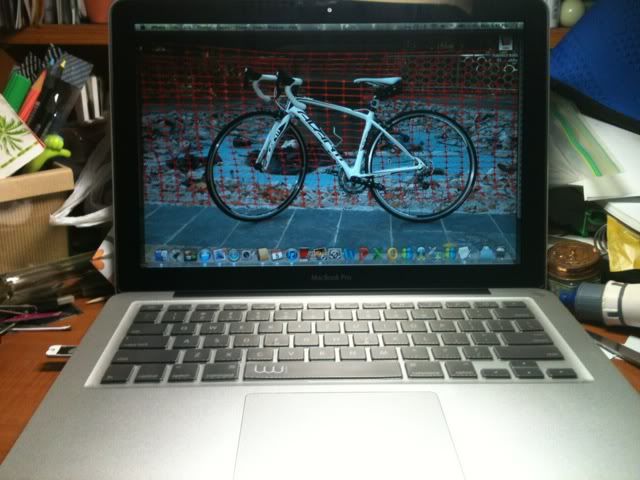 |
| Yeah yeah... my table is UBER messy... but that's not the point... nope, i didn’t change my desktop pic to my dad's bike... yup... that's my dad's new comp XD |
well... in the recent IT show... my dad got himself a macbook pro... still the same old macbook pro with the same old look... but its got much improved hardware now... instead of the messily 250GB hard disk space mine has, it now comes with 500GB hard disk space... and free upgrade to 8GB ram too... recently i found out the reason why stuff like my firefox was always hanging up - my ram was FULL. i.e. i overworked my comp... >< ew... but how? Maybe its cos i have too much stuff running in the background... like i have word doc open, 3 browsers running (some times there's a few game windows open too)... yes i use 3 browsers - firefox, chrome, and safari all at once... than there's tracks, and a tweeter app... and iTunes, and adium (like msn), iPhoto is on many a times too... and there's all the menu bar apps like alfred... i used to have quick sliver too but cos of the ram usage problem i've offed it... there's mobile mouse server, evernote, clipboard... lock screen, dropbox... typinator... etc etc... not saying that they each use up loads of ram... but it all adds up right? and gosh my hard disk space! its almost full! after all... 40GB got partitioned to XP... that only leaves me with like 200GB... and i've got LOADS of photos in here which i really should backup to the external hard disk soon so that i can free up some disk space here.... so yeah... the point is that its forever space not enough for me :X
my dad managed to get his iPad at the IT show too... turns out that somehow the organiser didn’t allow iPads to be sold there... (must be cos the telcos want to sell it WITH the data line plans) but they still sneaked it in anyway... but no offer of any sort... my dad totally regret waiting for the IT show to get his iPad... sighz... at least they gave freebies like the 8GB ram for the mac. My dad's super duper unlucky with his stuff... his top priority was actually the iPhone... but in the end he couldn’t get it cos the 16GB one ran out of stock... (and he refused to pay 120bucks more for the 32 GB one)... after that we went to check out the singtel shop several times but it was always out of stock... he finally managed to get the phone on sat... just, in the afternoon of my cousin's wedding...
So now it's all set... my dad got all 3 apple products that he's been eyeing for the longest time... i pretty much half of the time last week helping my dad with his apple products... setting up his email, explaing things to him as best as i can etc etc... i transferred a bunch of songs to his itunes too, so his ipad and phone will have some songs too... it's a real pity that he's so busy with work recently that he barely has time to use his devices... me and my sis did have some fun with a bit of games though... but nothing much... i'm not gonna flood his idevices with games... he's using it for work afterall... i'll just stick to my trusty old iphone... which is atm running out of space... sighz... i need to find apps to delete again...
tsk... when i start working, i'll probably have to invest more $ in an iphone with like 64gb memory :S cos all my rpg games take up so much space :X.... oh wells... i'll probably have to spend a lot of time in the near future answer my dad's endless qns abt the devices... mostly abt how he want things to work like they do on windows and stuff.... sighz... being the engineer that he is... he wants to be in absolute control... i don't mind not having as much control as him so yeah..... i'm find with my mac...
k... running out of stuff to say... guess that's all for now... tata!
Tuesday, October 25, 2011
T.G.I.F
TGIF. nope, its not friday tmr...
TGIF = Tmr Got Indian Festival!
haha... saw this on twitter this morning and found it quite cute (although it may come across as being a bit racist? but i assure you its all in good fun and there's nothing racist intended here!)
Here's wishing everyone a Happy Deepavali! Whether you truly celebrate the festival, or are just glad to have an off day :D
I'm totally clueless with dates... just last week or smthing my project mates were talking abt this wedn being a public holiday... but when i saw the stage set up for deepavali celebrations on mon, i was still wondering why they set it up so early... it was only when i saw the TGIF tweet that i realised... tmr is a holiday... -.-''' else i would probably have gotten up early and got ready to go to sch tmr, only to have someone in my family making a wise crack abt it being a public hol... (my friend still HAS biz law tut tmr tho)
Went out with my sis for lunch + dinner (yes, yet again) just now... she's quite sad that she just scraped enough marks to get promoted... speaking of which, i totally can't rem how i did in jc at all. i know my results sucked, but i was nvr worried abt not being able to get promoted, so somehow it shd be better than hers... perhaps? (my jc result scripts were strewn all over the place... i didn’t bother to file them or anything and now i don't even know where they are... at all) Well but she was making a remark abt how i shd get SIRI (too bad my iphone 3g no haf...) to organise my calendar... like how i didn’t even know when it was my bday... sending her into panic and having to resort to check her phone and facebook to make sure that she didn’t get the date wrong...
Speaking of SIRI... i heard andriod came up with IRIS... a program able to come up with smart crack answers to your weird qns just like SIRI. Its like... are you guys done yet??? Why do you have to keep copying Apple? This way you are forever following in other ppl's footsteps... hidding behind Apple's shadow... Be more creative and come up with something more... original? Like please? Ya you could probably say the same to samsung and msoft... come up with something to define ur own company, rather than something that makes ppl go 'hey, that looks great, but its just like Apple isnt it?' No matter how good ur product is, i don't think you can truly succeed if you are forever chasing behind others. Lead the chase, not chase after others... only than will you make ppl chase after ur products... that's how i see things anyway. Of cos, samsung Galaxy series of phones are great and can rival Apple in its own right, but there's no denying that they practically lifted the whole OS interface (esp the earlier models) from iOS and perfected it and claimed it their own... the similarities in design etc are just far too similar to be coincidental... Oi, be more original lah...
iPhone 4S price plans are out... quite pricey... S$498 for the $36 a month plan... haiz... not sure if my dad will get it or not...
Sighz... i'm getting old... have to pay adult price for sakae buffet now... sad :( sucks... ntu n nus students could get the youth buffet offer last time, but not anymore... ah wells...
Realised something... stupid abt photostream - you cannot delete any photo from there. You have to wait for 30 days to be up, or have over 1000 photos (and the old ones will get over written)... Quite stupid, cos idk why i took a photo of a blackscreen, and now there's a blackscreen on my photostream -.-'''
You can't force a photostream refresh too, only way is to wait, or disable and re-enable photostream... some ppl have reported problems of photostream not updating on their phone, iphoto or aperture... blah... the iCloud service sure could use some improvements...
Anyway... Here's some pics i took... went for sakae buffet at clementi earlier, and i dragged my sis to baskin and robins after that... she was really bloated but i could still fit some stuff... (in fact i still downed two sticks of ba ket teh that my mum cooked for dinner after that... ><)
(bleh, problem with the photobucket exporter on iPhoto, finally got it to work now)


WOOTS! Happiness!!!! The prof i emailed earlier replied! emailed a total of 3 profs today, 2 in the afternoon - no replies, and one at night. Really have to thank Belinda for this... she visited a prof, but was told that there are a lot of students interested in that already, and the prof kindly directed her to another project which mysteriously didn’t get any students - apparently something went wrong in the middle and that project did not get listed.... and that guy's looking for 2 students to work on the project, so Belinda very nicely told me abt it... so now i've got a meeting on thursday! YATA! 本とに嬉しいです!The only problem is that the project isnt listed, meaning that either the FYP course coordinator has to get that sorted by friday, or me n belinda will have to look for the FYP guy and ask for help... so yeah... yup, i was hoping for a wet lab project... but working with computer stuff isnt that bad lah... just not lit reviews... i'll die reading paper after paper all day long... guess its very likely that i'll do this project now...
I'm sure many of you have heard tales of auto correct being a nuisance on the iPhone (and probably saw many screenshots of it too... many of which seem way too funny to be true)... indeed, its irritating enough for me to turn it off for quite some time... in the end i turned it on again cos i make loads of typos of normal words that auto correct can actually help me with... saw two very hilarious (and irritating) auto correct 'mistakes?' today... and i swear that auto correct REALLY did these...


TGIF = Tmr Got Indian Festival!
haha... saw this on twitter this morning and found it quite cute (although it may come across as being a bit racist? but i assure you its all in good fun and there's nothing racist intended here!)
Here's wishing everyone a Happy Deepavali! Whether you truly celebrate the festival, or are just glad to have an off day :D
I'm totally clueless with dates... just last week or smthing my project mates were talking abt this wedn being a public holiday... but when i saw the stage set up for deepavali celebrations on mon, i was still wondering why they set it up so early... it was only when i saw the TGIF tweet that i realised... tmr is a holiday... -.-''' else i would probably have gotten up early and got ready to go to sch tmr, only to have someone in my family making a wise crack abt it being a public hol... (my friend still HAS biz law tut tmr tho)
Went out with my sis for lunch + dinner (yes, yet again) just now... she's quite sad that she just scraped enough marks to get promoted... speaking of which, i totally can't rem how i did in jc at all. i know my results sucked, but i was nvr worried abt not being able to get promoted, so somehow it shd be better than hers... perhaps? (my jc result scripts were strewn all over the place... i didn’t bother to file them or anything and now i don't even know where they are... at all) Well but she was making a remark abt how i shd get SIRI (too bad my iphone 3g no haf...) to organise my calendar... like how i didn’t even know when it was my bday... sending her into panic and having to resort to check her phone and facebook to make sure that she didn’t get the date wrong...
Speaking of SIRI... i heard andriod came up with IRIS... a program able to come up with smart crack answers to your weird qns just like SIRI. Its like... are you guys done yet??? Why do you have to keep copying Apple? This way you are forever following in other ppl's footsteps... hidding behind Apple's shadow... Be more creative and come up with something more... original? Like please? Ya you could probably say the same to samsung and msoft... come up with something to define ur own company, rather than something that makes ppl go 'hey, that looks great, but its just like Apple isnt it?' No matter how good ur product is, i don't think you can truly succeed if you are forever chasing behind others. Lead the chase, not chase after others... only than will you make ppl chase after ur products... that's how i see things anyway. Of cos, samsung Galaxy series of phones are great and can rival Apple in its own right, but there's no denying that they practically lifted the whole OS interface (esp the earlier models) from iOS and perfected it and claimed it their own... the similarities in design etc are just far too similar to be coincidental... Oi, be more original lah...
iPhone 4S price plans are out... quite pricey... S$498 for the $36 a month plan... haiz... not sure if my dad will get it or not...
Sighz... i'm getting old... have to pay adult price for sakae buffet now... sad :( sucks... ntu n nus students could get the youth buffet offer last time, but not anymore... ah wells...
Realised something... stupid abt photostream - you cannot delete any photo from there. You have to wait for 30 days to be up, or have over 1000 photos (and the old ones will get over written)... Quite stupid, cos idk why i took a photo of a blackscreen, and now there's a blackscreen on my photostream -.-'''
You can't force a photostream refresh too, only way is to wait, or disable and re-enable photostream... some ppl have reported problems of photostream not updating on their phone, iphoto or aperture... blah... the iCloud service sure could use some improvements...
Anyway... Here's some pics i took... went for sakae buffet at clementi earlier, and i dragged my sis to baskin and robins after that... she was really bloated but i could still fit some stuff... (in fact i still downed two sticks of ba ket teh that my mum cooked for dinner after that... ><)
(bleh, problem with the photobucket exporter on iPhoto, finally got it to work now)


WOOTS! Happiness!!!! The prof i emailed earlier replied! emailed a total of 3 profs today, 2 in the afternoon - no replies, and one at night. Really have to thank Belinda for this... she visited a prof, but was told that there are a lot of students interested in that already, and the prof kindly directed her to another project which mysteriously didn’t get any students - apparently something went wrong in the middle and that project did not get listed.... and that guy's looking for 2 students to work on the project, so Belinda very nicely told me abt it... so now i've got a meeting on thursday! YATA! 本とに嬉しいです!The only problem is that the project isnt listed, meaning that either the FYP course coordinator has to get that sorted by friday, or me n belinda will have to look for the FYP guy and ask for help... so yeah... yup, i was hoping for a wet lab project... but working with computer stuff isnt that bad lah... just not lit reviews... i'll die reading paper after paper all day long... guess its very likely that i'll do this project now...
I'm sure many of you have heard tales of auto correct being a nuisance on the iPhone (and probably saw many screenshots of it too... many of which seem way too funny to be true)... indeed, its irritating enough for me to turn it off for quite some time... in the end i turned it on again cos i make loads of typos of normal words that auto correct can actually help me with... saw two very hilarious (and irritating) auto correct 'mistakes?' today... and i swear that auto correct REALLY did these...

Deepavali =/= deep avail... -.-'''

Oi, Clementi is Clementi lah... mai anyhow change leh!
Ok... here's more pics for you to look at... look these during mol evo class last fri...
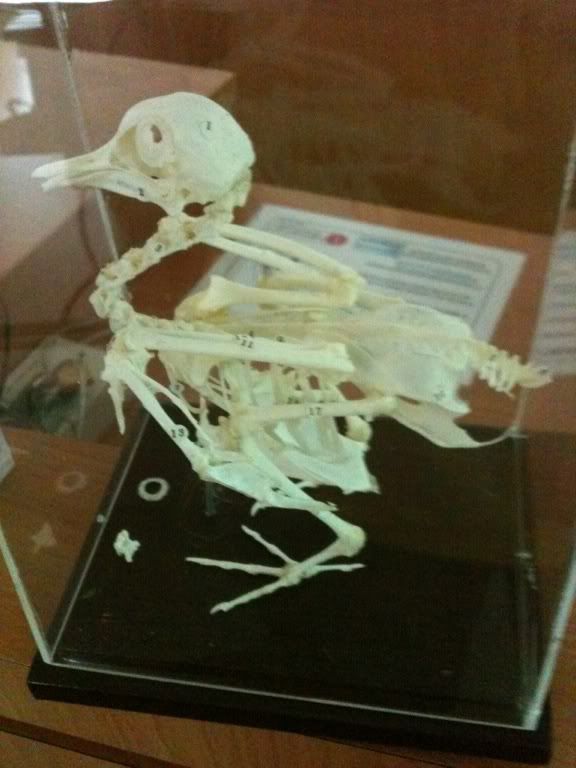
This one's a skeleton of a pigeon...
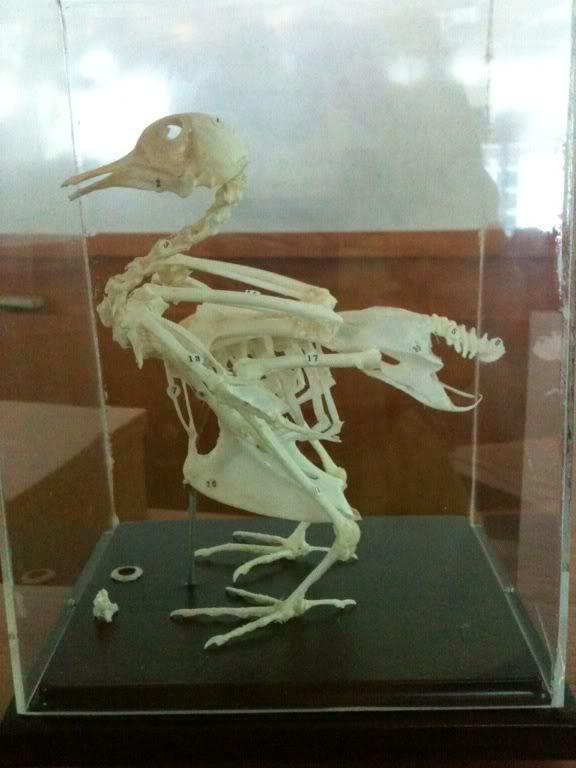
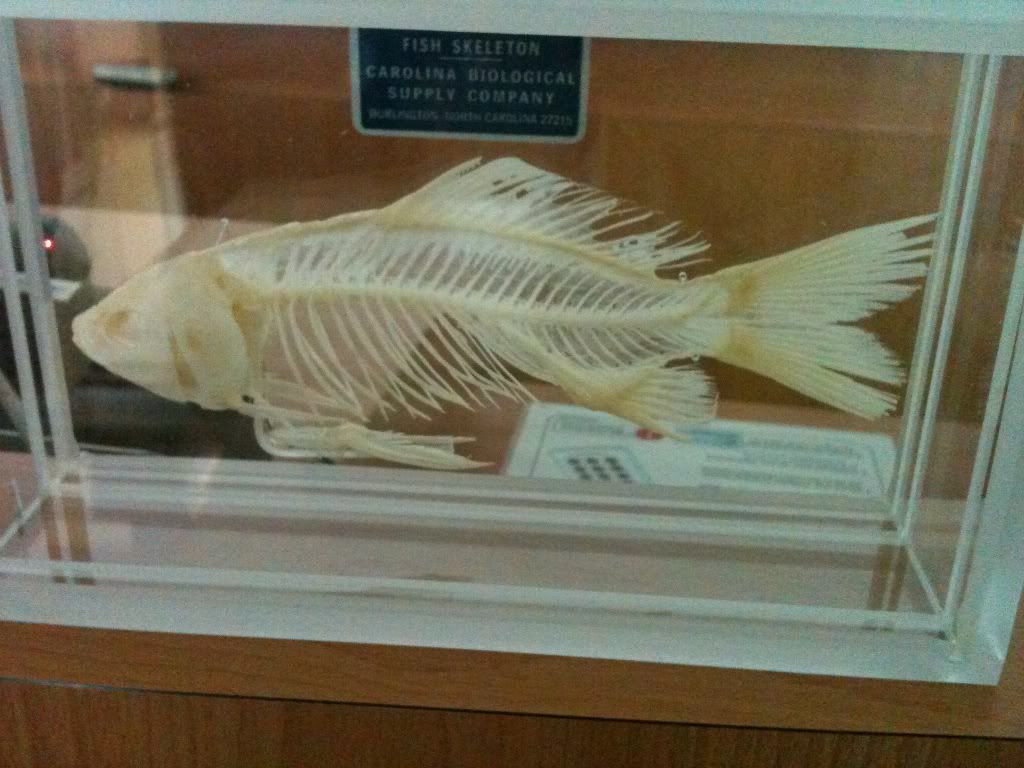
a fish... i'm sure u didn’t need me to tell u that...
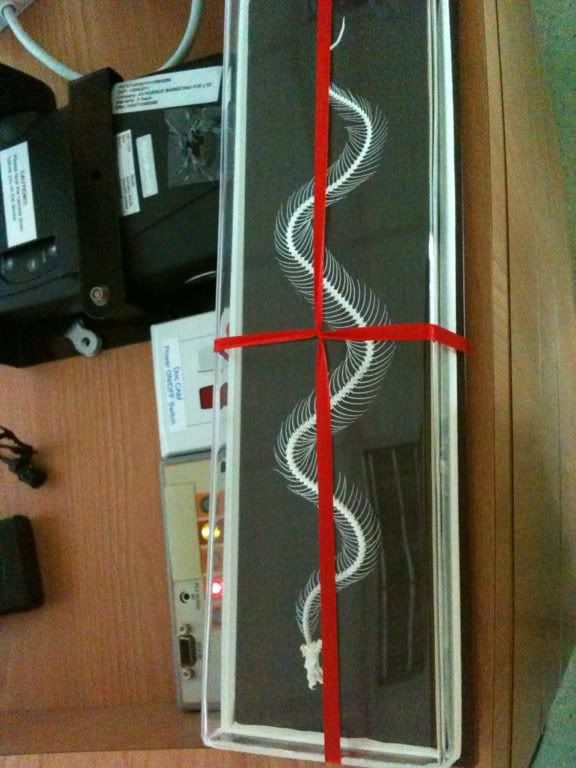
a snake! cool eh?
check out the fangs!
opps.. the pic is quite blur... it’s a frog... that got eaten by the snake
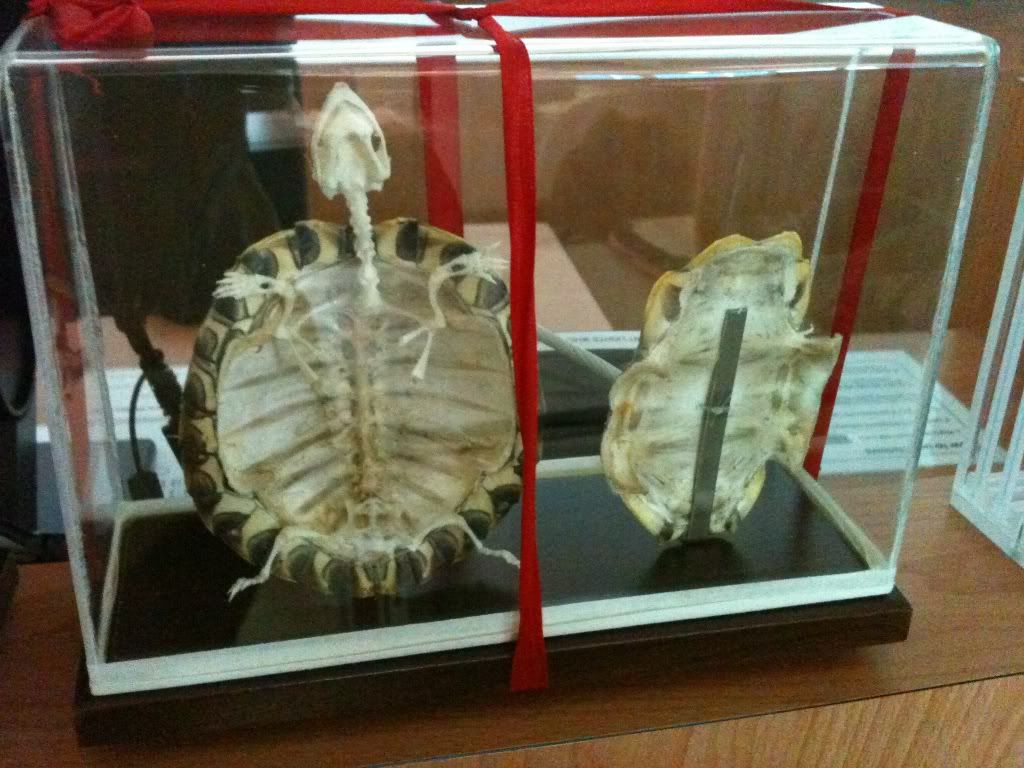
it’s a tortoise, yeah, i know u didn’t know that.
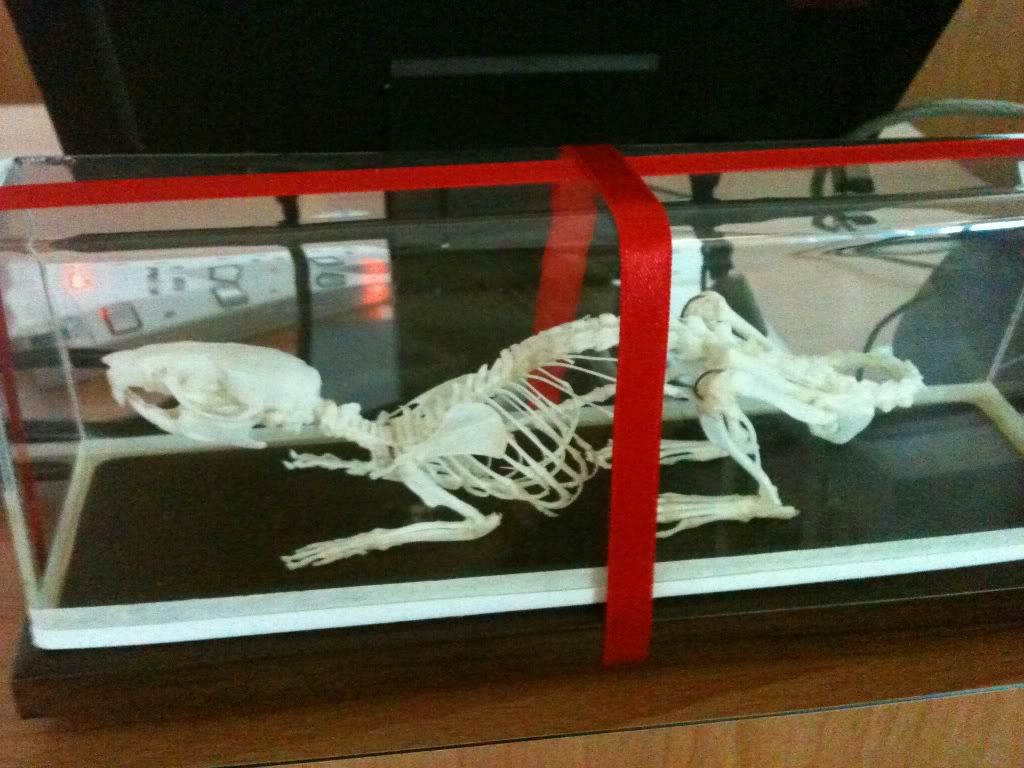
here's the rat... it's got a really looong tail... and it too, got eaten by the snake
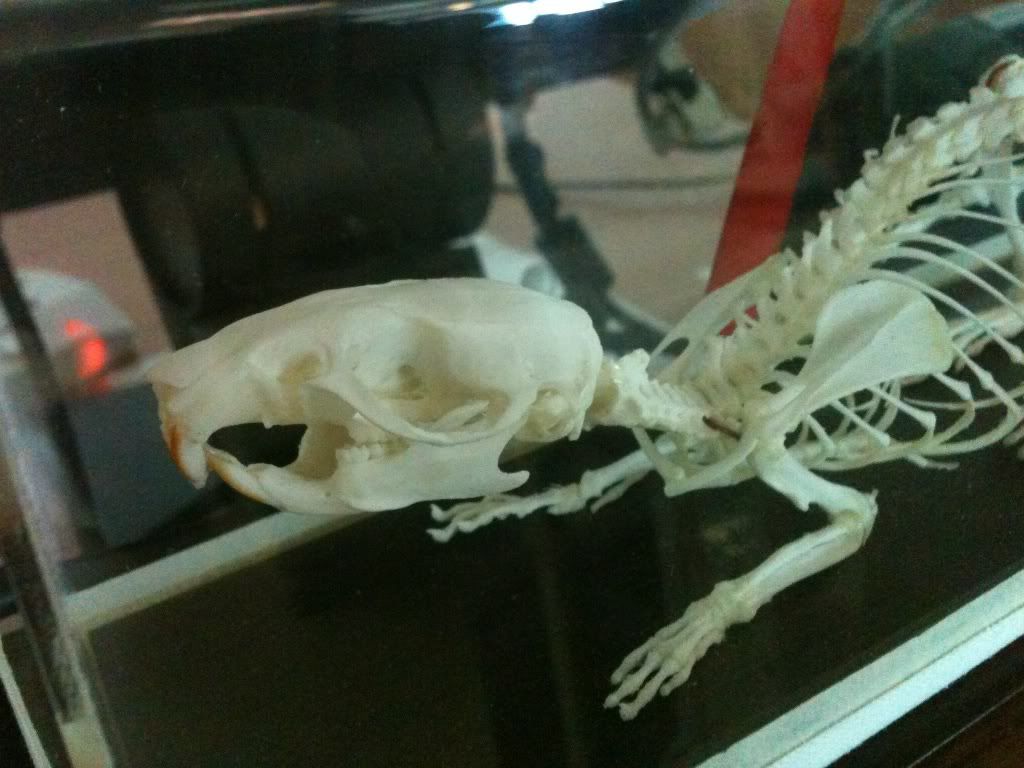
ok... no more pics to upload... that's all! ah... since i'm in such a good mood right now (after securing that 1 more interview...) i'll leave ya all with a song...
(hard to find arashi songs on youtube...)
Thursday, October 20, 2011
iPhone and supervisors
Came across this site talking abt the iOS 5... some stuff i didn’t notice, and some that i didn’t, but left out mentioning... check it out.
Also... much has been going on about the iPhone 4S siri... i saw the funny replies from siri, and have been constantly wondering if they are real or not... but after so many sites has been talking abt it... i guess its real... really funny sense of humor they imparted siri with... check out more here :) i'm sure it'll give you a laugh or two...
Went to visit my 1st supervisor yest... don't think i performed well... sighz. now i have to worry, yes really worry abt getting 3 more meetings... sighz... really scared i can't make it in time.
just 1 more week till iPhone 4S hits singapore... i think my dad will wait for the dec IT show to come round and get his phone than...? or maybe he'll get it earlier... idk... its hard to say with my dad... well it’s a lot easier to say when he's buying stuff for us.... but not when it's for himself. my sis has gotten absolutely tired of our IT talk already... she refused to give an answer when i asked her to guess whether my dad will get the galaxy or the iphone...
FINALLY there's himitsu today... well i mostly wont be watching it tonight tho... finally managed to watch their AnShi special on the 8th oct after i managed to get the pw from the owner who uploaded the video. haven searched to see if the 15th oct SP is out yet... ah but i'm so excited for the himitsu today... it’s the mannequin 5 sp... and i actually voted online this time round... last year they have online voting too, but i pushed off voting and than... missed the dateline lol. Totally can't tell which outfit is by who this time round, so i really can't wait for the SP to be aired...
very very worried abt the FYP thing. yet can't do a thing abt it... or at elast i can't do much atm... sighz.
i want to watch some nice arashi stuff... but there hasn’t been much recently :( can't wait for the one tonight...
Also... much has been going on about the iPhone 4S siri... i saw the funny replies from siri, and have been constantly wondering if they are real or not... but after so many sites has been talking abt it... i guess its real... really funny sense of humor they imparted siri with... check out more here :) i'm sure it'll give you a laugh or two...
Went to visit my 1st supervisor yest... don't think i performed well... sighz. now i have to worry, yes really worry abt getting 3 more meetings... sighz... really scared i can't make it in time.
just 1 more week till iPhone 4S hits singapore... i think my dad will wait for the dec IT show to come round and get his phone than...? or maybe he'll get it earlier... idk... its hard to say with my dad... well it’s a lot easier to say when he's buying stuff for us.... but not when it's for himself. my sis has gotten absolutely tired of our IT talk already... she refused to give an answer when i asked her to guess whether my dad will get the galaxy or the iphone...
FINALLY there's himitsu today... well i mostly wont be watching it tonight tho... finally managed to watch their AnShi special on the 8th oct after i managed to get the pw from the owner who uploaded the video. haven searched to see if the 15th oct SP is out yet... ah but i'm so excited for the himitsu today... it’s the mannequin 5 sp... and i actually voted online this time round... last year they have online voting too, but i pushed off voting and than... missed the dateline lol. Totally can't tell which outfit is by who this time round, so i really can't wait for the SP to be aired...
very very worried abt the FYP thing. yet can't do a thing abt it... or at elast i can't do much atm... sighz.
i want to watch some nice arashi stuff... but there hasn’t been much recently :( can't wait for the one tonight...
Friday, October 14, 2011
iOS 5!
so its been like... 1.5 -2 days of using iOS 5 now. ok, not very long... but i discovered more new stuff among the 200+ things apple said they added to iOS 5. darn you apple, why can't u just nicely release a change log like ppl normally do? (ok, i'm assuming they do anyway...)
its IS quite fun to discover what's changed in the new OS tho. As for those who have jailbroken their phones or are planning to jailbreak ur phones... well if u've jailbroken already they u probably shd just wait till the new jailbreak for iOS 5 is out to continue using whatever u jailbroke ur phone for... if you're planning to jailbreak... heck it, just update to the new iOS 5 and jailbreak when it's out... the jailbreak shouldn’t take too long to come out right? right? i've not jailbroken my phone so i seriously have no clue... ><
EDIT: FYI, i found out that redsn0w jailbreak already works with iOS 5. so go ahead and enjoy all the new features of iOS 5. unless u prefer a diff jail breaking program... but that shdnt take very long either.
Finally understood what iMessage is about today. Well i read earlier that it'll be incorporated into the SMS system, but i only saw exactly how it works today. When you text someone who isnt using iOS 5, your send message button and sent message dialogue will be in GREEN. However, when you are texting someone with iMessage, the message field will not only show 'iMessage' instead of 'Text Message', the send button and dialogue text will be in BLUE. (See pics above, i censored the names with the touchup tool in iPhoto... really cool, didn’t expect it to work so well LOL). At 1st i just tot the changing of the send button from blue to green was just another one of their small aesthetic changes.... but now i know better! The great thing about iMessage is that it's all intergrated into the OS, so i don't have to open up a separate app like Whatsapp to sms ppl... and i DON'T have a habit of using Whatsapp... so i sms my friends normally rather than doing it the free way unless i'm texting my friend overseas. Some (or rather, one) of my friends don't have the habit of checking her Whatsapp either... since i'm don't SMS a lot to have a habit of using Whatsapp, iMessage is just the perfect solution to make use of the free wifi or 3G connection (my 12 GB data plan like never, ever runs out!). Yeah, i don't SMS much so i wont use up the free SMS either, but the good thing is that now i can MMS for free too. It'll be particularly nice if say my dad gets his iPhone and we can MMS each other or smthing... or if my sis gets an iPhone too... (my dad says she'll have to wait till she's 21 tho... aw...)
Another plus is if you have an iPod or iPad, you can use iMessage too... probably useful to contact some of my friends who own iPods but not iPhones, tho i'll have to get their email address or smthing to add their iDevice as a contact 1st.
iMessage is turned on on the iPhone by default, you can choose to turn it on or off under Settings > Messages
(ok, using iMessage now, its pretty cool, like MSN but in sms style... yeah its like whatsapp, but now its INTEGRATED. i kinda feel sorry for the devs of whatsapp and other similar apps... Gosh, i finally squeezed out a precious reply from ash after sending her a pic of her idol... now i know how to get a reply from ash tsk tsk!)
Now you can also swipe down to hide the keyboard in the messages app. Previously i tried a bunch of stuff to hide the keyboard when viewing my smses (so that i can have more space to see the SMS!) but the keyboard wont go down. I'm not sure if i was doing the wrong thing previously or smthing though...
Loads of small stuff that they have changed... like for example, now you can DELETE SONGS from the music player. YES, FINALLY! Previously i've searched the iPod high and low, videos can be deleted, but no way to delete songs! Which is rather stupid if you were to ask me... finally we can delete songs from the iPhone too.
Also, previously when i take photos of my games which run the landscape mode, the photos are not rotated when saved in the photo album - you have to rotate them manually later on. In iOS 5, the phone will help you rotate the picture on the correct orientation. A good improvement since i do take quite a lot of SSes of my games which run in landscape mode.
The notification centre is pretty neat. You can choose which apps are able to send notifications, and you can choose whether to show the weather widget. I'm wondering if it's possible to add in some custom widgets (like how we can download widgets in the dash board on mac?)... shall search ard and see if it's possible. Currently the default one is just Yahoo weather and Yahoo stocks... pretty boring isnt it? The thing about notifications though... is that if you want to delete them from the notification centre (w/o visiting the app), you can only delete the whole chunk of notifications from the same app at a go... you can't delete em one by one. Not too sure if this really affects things much though... Oh yes, in case you cannot figure out, swipe down from the home screen to see the notification centre
Tried the voice control a bit more last night. It seems like all we non iPhone 4S users can do is:
call [insert contact], play [insert album name], play song by [insert artist name], stop music, play music, pause music, next track, previous track, play more songs like this (haven tried this command though)
The problem with using voice control to call ppl is that... the program don't pronounce names the same way we do, so unless it’s a relatively simple name, the phone might get it wrong. Particularly for Chinese names... Things like 'Mummy' or 'Home' is not a problem though. Still, i find it weird to talk to my phone in public.... Oh yes, have i mentioned this before? Press and hold the home button to activate voice control (just like how you press and hold the home button to activate Siri in iPhone 4S)
Siri will definitely be more useful though, you'll be able to ask Siri what the weather is like and it'll do a search and read the results to you... you can get Siri to text message, or set reminders/alarms for you... oh well, i wont be getting Siri any soon though. I believe Siri has artificial intelligence so it'll learn your preferences as you use it too?
For non-iPhone 4S users, you can try the free app Vlingo (download it from the iTunes store nowXD). Downloaded it previously but didn’t use voice control and so i deleted it... since we were messing around with the iPhone and samsung galaxy S2 voice control yesterday... i went to re-dl it. Lets you use voice control to send sms, emails, google search, and even update ur fb or twitter status. In fact, if you look at the samsung voice recognition program closely, there's a small 'powered by Vlingo' wording at the bottom left of the app.... so yeah... Voice control would be useful when you are say, driving for example. Or maybe you wish to dictate a long text into the app. Typing on the iPhone is still quite slow compared to typing on the computer.... Otherwise, i think directly searching your phonebook to call XXX would be faster than attempting to get voice control to recognise the person you intend to call. (unless its simple names like mentioned earlier).
iCloud is cool, the photos get uploaded to photo stream really fast, and than it'll download them to iPhotos equally quickly. It works on the windows too, but i think it'll be something like dropbox... you'll get a folder on your desktop which shows all the pictures from photo stream. I've not gone to xp to try this yet though... not even sure if that's compatible with the XP. Unlike things like your contacts or documents, you cannot view your photo stream from the iCloud website... you need to use the folder thing in windows, or iPhoto (or Aperture) in the mac to view you photo stream (or you could use say, the Apple TV, or any of your other iDevices... basically its just that photo stream is not available on the web browser).
From the iCloud website, you can see your contacts, your documents, your calender, and activate the 'Find my phone' features (send a message to your phone/mac, remotely lock your device, or securely wipe out the data on your device).

The iCloud website has a pretty minimalist feel to it... yes... the iWork is basically Apple's version of Office... and since i picked msoft office previously over the Apple iWork suite... i'm kind of regretting it now. Well the iOS versions of the iWork (Keynote, Numbers and Pages - i.e. Apple's Power Point, Excel and Word) don't come cheap at USD $9.99 each, (the mac version isnt very cheap either...) but the auto sync ah... its really very useful! Started writing some stories/fanfics, and i really want to edit or re-read my writing on the bus or MRT sometimes...! I got the compositions app last time, but it’s a minimalist writing software (some writers prefer it that way, but i don't ><) that don't even allow you to bold or italics your text. When writing stories i try to express what the characters are thinking and i want to put those in italics to differentiate between normal conversation and their thoughts so... also since it uses dropbox, the syncing is not automatic and there was once when a conflict arose that did not get resolved properly - i ended up losing a big chunk of my text :(. Main problem still, is that 1) the syncing is not automatic and 2) the writing app isnt powerful enough.
Sighz... such a shopping maniac... iCloud is really really tempting me to buy iWork. Dad - go buy a Macbook pro... and an iPad (rather than a samsung galaxy tab) and buy iWork please... i want the darn syncing feature!!!! Sad thing too that i bought the Office^2 app only to see Apple bring out its own Keynote, Numbers and Pages to the iOS later on... those 3 combined are a ton more expensive than the Office^2 though... hopefully other devs will come up with ways to properly utilise iCloud... still, things are most likely better when its by Apple since they are the manufacturers of the Mac and the iDevices afterall...
Oh yes, photo stream and iPhoto... the default setting in iPhoto will be to automatically dl any new photos from your photo stream. You can turn this off under Preferences > Photo Stream. When downloaded the photos will be automatically kept in an event called 'Oct 11 Photo Stream' (well they'll make a new event every month i guess). At 1st i was wondering if the photos in that new event are really stored on the computer (mostly i was worried cos of the way they auto named the event, plus, i'm still a newbie iPhoto user)... than i realised there's a small wireless icon at the bottom left hand corner of each picture when you are viewing the photo stream, indicating that those pictures are viewed wirelessly... and that icon is not there when you are in the XX Photo Stream event... ok, so my worries have been resolved XD. The photo stream update and download happens really fast. Like... within the minute it'll download the new photos... not like some programs where the auto download only check if there are new updates every 5 or 10minutes... this one is really almost instantaneous... oh another note, you cannot edit photos in the photo stream, you have to download and save it locally 1st. you also can upload photos you take with other cameras (or even photos you took off the net etc) into photo stream. All you have to do is to add it into your photo album in the iDevice, or upload it into Aperture or iPhoto, or put it into the Photo stream folder on your desktop if u're using a windows. (yeah, you can find this info on their help pages)
Some other features i noticed:
Last time you have to wait till the 1st app is downloaded and installed finish before it moves on to work on the next app. Now it continues to download the next app even when the previous one is installing, potentially saving a lot of time when installing tons of apps.
When you go to Settings>General>Usage, it shows how much space you have left on your phone (and how much is used up). Also breaks down the information to show you how much storage space each app uses. Previously you can only see this info from iTunes. (i guess w/o this feature, you can't really call the iOS 5 mac/pc free right?)
Yeah... i think i'll get back to the fanfic writing now... i'll update the post or make a new post when i discover more stuff/think of more stuff to write XD Edit: yeah right, in the end i'm still editing this post!
Edit: ok, i'll be hardworking and update the post with some pictures/screenshots... since photo stream makes things much more convenient now... XD
okay, i think that's all the pics i'll be uploading in this post... opps... could have picked a larger size when i was exporting the pics from iPhoto to photobucket... i'll try and remember that the next time round :P
its IS quite fun to discover what's changed in the new OS tho. As for those who have jailbroken their phones or are planning to jailbreak ur phones... well if u've jailbroken already they u probably shd just wait till the new jailbreak for iOS 5 is out to continue using whatever u jailbroke ur phone for... if you're planning to jailbreak... heck it, just update to the new iOS 5 and jailbreak when it's out... the jailbreak shouldn’t take too long to come out right? right? i've not jailbroken my phone so i seriously have no clue... ><
EDIT: FYI, i found out that redsn0w jailbreak already works with iOS 5. so go ahead and enjoy all the new features of iOS 5. unless u prefer a diff jail breaking program... but that shdnt take very long either.
 |
| When you text message someone, your messages are in green. |
 |
| You can see when someone else is typing in iMessage, so its pretty much like MSN now XD. When you can send thru iMessage, everything is in blue. |
Finally understood what iMessage is about today. Well i read earlier that it'll be incorporated into the SMS system, but i only saw exactly how it works today. When you text someone who isnt using iOS 5, your send message button and sent message dialogue will be in GREEN. However, when you are texting someone with iMessage, the message field will not only show 'iMessage' instead of 'Text Message', the send button and dialogue text will be in BLUE. (See pics above, i censored the names with the touchup tool in iPhoto... really cool, didn’t expect it to work so well LOL). At 1st i just tot the changing of the send button from blue to green was just another one of their small aesthetic changes.... but now i know better! The great thing about iMessage is that it's all intergrated into the OS, so i don't have to open up a separate app like Whatsapp to sms ppl... and i DON'T have a habit of using Whatsapp... so i sms my friends normally rather than doing it the free way unless i'm texting my friend overseas. Some (or rather, one) of my friends don't have the habit of checking her Whatsapp either... since i'm don't SMS a lot to have a habit of using Whatsapp, iMessage is just the perfect solution to make use of the free wifi or 3G connection (my 12 GB data plan like never, ever runs out!). Yeah, i don't SMS much so i wont use up the free SMS either, but the good thing is that now i can MMS for free too. It'll be particularly nice if say my dad gets his iPhone and we can MMS each other or smthing... or if my sis gets an iPhone too... (my dad says she'll have to wait till she's 21 tho... aw...)
Another plus is if you have an iPod or iPad, you can use iMessage too... probably useful to contact some of my friends who own iPods but not iPhones, tho i'll have to get their email address or smthing to add their iDevice as a contact 1st.
iMessage is turned on on the iPhone by default, you can choose to turn it on or off under Settings > Messages
(ok, using iMessage now, its pretty cool, like MSN but in sms style... yeah its like whatsapp, but now its INTEGRATED. i kinda feel sorry for the devs of whatsapp and other similar apps... Gosh, i finally squeezed out a precious reply from ash after sending her a pic of her idol... now i know how to get a reply from ash tsk tsk!)
Now you can also swipe down to hide the keyboard in the messages app. Previously i tried a bunch of stuff to hide the keyboard when viewing my smses (so that i can have more space to see the SMS!) but the keyboard wont go down. I'm not sure if i was doing the wrong thing previously or smthing though...
 |
| Now you can swipe to delete songs! |
Loads of small stuff that they have changed... like for example, now you can DELETE SONGS from the music player. YES, FINALLY! Previously i've searched the iPod high and low, videos can be deleted, but no way to delete songs! Which is rather stupid if you were to ask me... finally we can delete songs from the iPhone too.
Also, previously when i take photos of my games which run the landscape mode, the photos are not rotated when saved in the photo album - you have to rotate them manually later on. In iOS 5, the phone will help you rotate the picture on the correct orientation. A good improvement since i do take quite a lot of SSes of my games which run in landscape mode.
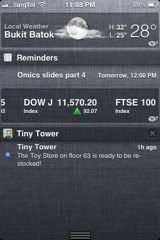 |
| The notification centre shows widgets like stocks and weather... and of cos ur notifications. Go to Settings>Notifications to pick which app you want to see banner notifications with, which u want to show in the notification centre etc... a bit more complicated, but you get more control over what you see. |
 |
| Press and hold the home button to activate. Voice control takes a few seconds to start up, you can only start speaking when there's a wavy line going across the screen... the phone will play a tone + vibrate once its ready to listen to yor commands (well its doesn’t take very long for the app to get ready, don't worry) |
call [insert contact], play [insert album name], play song by [insert artist name], stop music, play music, pause music, next track, previous track, play more songs like this (haven tried this command though)
The problem with using voice control to call ppl is that... the program don't pronounce names the same way we do, so unless it’s a relatively simple name, the phone might get it wrong. Particularly for Chinese names... Things like 'Mummy' or 'Home' is not a problem though. Still, i find it weird to talk to my phone in public.... Oh yes, have i mentioned this before? Press and hold the home button to activate voice control (just like how you press and hold the home button to activate Siri in iPhone 4S)
Siri will definitely be more useful though, you'll be able to ask Siri what the weather is like and it'll do a search and read the results to you... you can get Siri to text message, or set reminders/alarms for you... oh well, i wont be getting Siri any soon though. I believe Siri has artificial intelligence so it'll learn your preferences as you use it too?
 |
| The home screen of the Vlingo app. One thing that might be a bit irritating though, is that you have to manually hit the stop button once you have finished saying your command. The app will not auto detect when you've stopped speaking. |
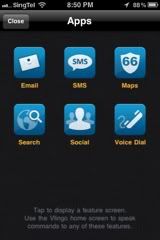 |
| The various applications Vlingo works with. Unlike the android counterpart, there is no speak to memo/notes feature here :( |
For non-iPhone 4S users, you can try the free app Vlingo (download it from the iTunes store nowXD). Downloaded it previously but didn’t use voice control and so i deleted it... since we were messing around with the iPhone and samsung galaxy S2 voice control yesterday... i went to re-dl it. Lets you use voice control to send sms, emails, google search, and even update ur fb or twitter status. In fact, if you look at the samsung voice recognition program closely, there's a small 'powered by Vlingo' wording at the bottom left of the app.... so yeah... Voice control would be useful when you are say, driving for example. Or maybe you wish to dictate a long text into the app. Typing on the iPhone is still quite slow compared to typing on the computer.... Otherwise, i think directly searching your phonebook to call XXX would be faster than attempting to get voice control to recognise the person you intend to call. (unless its simple names like mentioned earlier).
iCloud is cool, the photos get uploaded to photo stream really fast, and than it'll download them to iPhotos equally quickly. It works on the windows too, but i think it'll be something like dropbox... you'll get a folder on your desktop which shows all the pictures from photo stream. I've not gone to xp to try this yet though... not even sure if that's compatible with the XP. Unlike things like your contacts or documents, you cannot view your photo stream from the iCloud website... you need to use the folder thing in windows, or iPhoto (or Aperture) in the mac to view you photo stream (or you could use say, the Apple TV, or any of your other iDevices... basically its just that photo stream is not available on the web browser).
From the iCloud website, you can see your contacts, your documents, your calender, and activate the 'Find my phone' features (send a message to your phone/mac, remotely lock your device, or securely wipe out the data on your device).

The iCloud website has a pretty minimalist feel to it... yes... the iWork is basically Apple's version of Office... and since i picked msoft office previously over the Apple iWork suite... i'm kind of regretting it now. Well the iOS versions of the iWork (Keynote, Numbers and Pages - i.e. Apple's Power Point, Excel and Word) don't come cheap at USD $9.99 each, (the mac version isnt very cheap either...) but the auto sync ah... its really very useful! Started writing some stories/fanfics, and i really want to edit or re-read my writing on the bus or MRT sometimes...! I got the compositions app last time, but it’s a minimalist writing software (some writers prefer it that way, but i don't ><) that don't even allow you to bold or italics your text. When writing stories i try to express what the characters are thinking and i want to put those in italics to differentiate between normal conversation and their thoughts so... also since it uses dropbox, the syncing is not automatic and there was once when a conflict arose that did not get resolved properly - i ended up losing a big chunk of my text :(. Main problem still, is that 1) the syncing is not automatic and 2) the writing app isnt powerful enough.
Sighz... such a shopping maniac... iCloud is really really tempting me to buy iWork. Dad - go buy a Macbook pro... and an iPad (rather than a samsung galaxy tab) and buy iWork please... i want the darn syncing feature!!!! Sad thing too that i bought the Office^2 app only to see Apple bring out its own Keynote, Numbers and Pages to the iOS later on... those 3 combined are a ton more expensive than the Office^2 though... hopefully other devs will come up with ways to properly utilise iCloud... still, things are most likely better when its by Apple since they are the manufacturers of the Mac and the iDevices afterall...
e |
| See that small cute wireless icon there? it shows that those photos are online... Those photos in the 'Oct 11 Photo Stream' Event don't have this icon. |
Some other features i noticed:
Last time you have to wait till the 1st app is downloaded and installed finish before it moves on to work on the next app. Now it continues to download the next app even when the previous one is installing, potentially saving a lot of time when installing tons of apps.
When you go to Settings>General>Usage, it shows how much space you have left on your phone (and how much is used up). Also breaks down the information to show you how much storage space each app uses. Previously you can only see this info from iTunes. (i guess w/o this feature, you can't really call the iOS 5 mac/pc free right?)
Yeah... i think i'll get back to the fanfic writing now... i'll update the post or make a new post when i discover more stuff/think of more stuff to write XD Edit: yeah right, in the end i'm still editing this post!
Edit: ok, i'll be hardworking and update the post with some pictures/screenshots... since photo stream makes things much more convenient now... XD
okay, i think that's all the pics i'll be uploading in this post... opps... could have picked a larger size when i was exporting the pics from iPhoto to photobucket... i'll try and remember that the next time round :P
Subscribe to:
Posts (Atom)